

Every 60 seconds a small business website is offline, it is losing money. Research from Gartner has put the average cost of IT downtime at over $5,600 per minute for large enterprises, and while that figure scales down for smaller operations, the proportional pain is just as real. For a founder running a lean team, one broken email account or a website that loads in eight seconds can mean lost leads, damaged credibility, and hours of wasted time. That is exactly why small business tech support is not a luxury, it is a core business function that deserves the same attention as accounting or legal compliance.
This guide is written for business owners who are not IT professionals. It covers the most common tech problems in plain language, gives you a self-audit you can run today, and tells you exactly when to fix something yourself versus when to bring in a vetted specialist.
Key Takeaways
- Technology problems translate directly into lost revenue, slow websites, broken email, and security gaps all have measurable business costs.
- A structured self-audit takes less than 30 minutes and will surface the highest-priority problems in your tech stack.
- Most small business tech issues fall into six categories: website performance, email deliverability, domain and hosting, security, backups, and software setup.
- Knowing when to DIY versus when to hire a specialist saves both money and time, the wrong choice in either direction is costly.
- Briefing a specialist correctly is half the battle; a tightly scoped job with clear outcomes gets better results than an open-ended “fix everything” request.
Table of Contents
- The Real Cost of Tech Problems for Small Businesses
- Your 30-Minute Small Business Tech Self-Audit
- The Six Most Common Small Business Tech Problems, and How to Fix Them
- Small Business IT Support: DIY vs. Specialist
- How to Brief a Small Business IT Consultant So You Get Real Value
- Remote IT Support for Small Business: What to Expect
- FAQ
- Conclusion
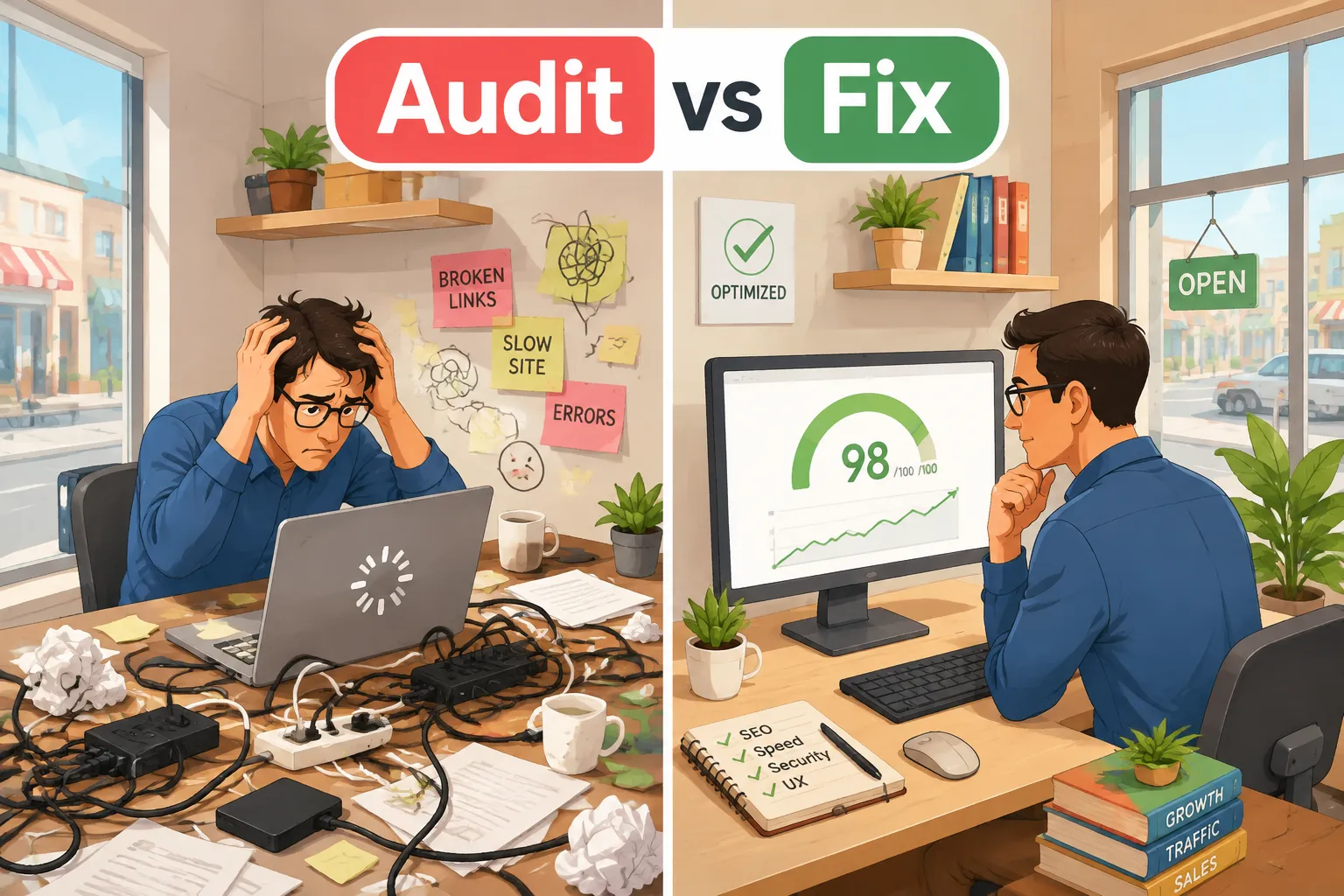
The Real Cost of Tech Problems for Small Businesses
Before diving into fixes, it helps to understand what tech problems actually cost, in business terms, not technical ones.
Website downtime is the most visible problem. If your site generates 50 leads a month and earns $2,000 per lead on average, each hour of downtime during business hours costs a calculable slice of that pipeline. Even a site that is technically “up” but loads slowly bleeds revenue quietly. Google’s research has shown that as page load time goes from one second to three seconds, the probability of a mobile visitor bouncing increases by 32 percent. A five-second load time increases that bounce probability by 90 percent.
Email problems are subtler but equally damaging. If your outbound emails are landing in spam folders, your open rates collapse, and you may not even know it is happening. Proposals, invoices, and follow-up messages disappear into a void. Clients assume you are unresponsive.
Security incidents carry the heaviest long-term costs. The Ponemon Institute’s research has consistently found that small and medium-sized businesses face average breach costs in the hundreds of thousands of dollars when direct costs, recovery time, and reputational damage are combined. Critically, many small businesses never fully recover from a serious breach.
Software and integration failures bleed time. When your point-of-sale system does not sync with your accounting software, someone on your team is manually re-entering data, that is payroll spent on a task a $20-per-month integration would handle automatically.
The point is simple: tech problems are business problems. Treating them as “IT stuff” to be ignored or indefinitely deferred is one of the most expensive decisions a small business owner can make.
Your 30-Minute Small Business Tech Self-Audit
Before spending money on small business tech support services, run this audit. It costs nothing and will tell you exactly where to focus first.
Website Speed and Performance
Tool to use: Google PageSpeed Insights (free, no account required)
- Go to pagespeed.web.dev
- Enter your website URL
- Run the test on both mobile and desktop
What to look for:
- A score below 50 (red) on mobile is a serious problem
- A score between 50 and 89 (orange) needs attention
- Scores above 90 (green) are healthy
Note the specific issues flagged under “Opportunities”, these are the fixes that will have the biggest impact. Common culprits include unoptimized images, unused JavaScript, and slow server response times.
Business translation: If your mobile score is below 50, assume a significant portion of mobile visitors are leaving before your page fully loads.
Email Deliverability
Tool to use: MXToolbox (free)
- Go to mxtoolbox.com
- Run a “Domain Health” check on your domain
- Also run a “Blacklist Check”
What to look for:
- Is your domain on any email blacklists? (This is urgent if yes)
- Are SPF, DKIM, and DMARC records configured? (These are authentication records that tell receiving mail servers your emails are legitimate)
Business translation: Missing SPF/DKIM/DMARC records mean your emails are more likely to land in spam. If you are on a blacklist, your emails may not be delivered at all.
Domain and Hosting Health
Open a spreadsheet and answer these questions:
| Question | Answer |
|---|---|
| When does your domain expire? | Check your registrar’s dashboard |
| Is auto-renew enabled? | Yes / No |
| Do you know who controls your domain? | Yes / No |
| Is your hosting account in your name? | Yes / No |
| Do you have login credentials for your host? | Yes / No |
Red flags: A domain expiring within 60 days, auto-renew disabled, or not knowing who controls your domain are all urgent items.
Business translation: A lapsed domain takes your website and email offline instantly. Recovering a domain that has been snapped up by a third party can cost thousands of dollars.
Security Basics
Work through this checklist:
- Is your website running on HTTPS? (Look for the padlock in your browser)
- When was your website’s software (WordPress, plugins, etc.) last updated?
- Do you use multi-factor authentication (MFA) on your email and key business accounts?
- Do you have a password manager in use across your team?
- Do you know what devices have access to your business accounts?
Business translation: An HTTP (not HTTPS) website is flagged as “Not Secure” by Chrome and Firefox, this actively drives visitors away and hurts search rankings.
Backups
Answer these three questions honestly:
- When was your website last backed up?
- Where is that backup stored? (If the answer is “on the same server as my website,” that is a problem)
- Have you ever tested restoring from a backup?
Business translation: A backup that has never been tested is not a backup, it is a false sense of security. Many businesses discover their backup system was broken only when they need it most.
Software and Integrations
List every piece of software your business pays for. Then ask:
- Is it actually being used?
- Is it connected to the other tools it should be connected to?
- Are there manual steps in your workflow that software could automate?
This audit alone often surfaces $200,$500 per month in unused subscriptions.

The Six Most Common Small Business Tech Problems, and How to Fix Them
1. Slow Website
The problem: Your website takes more than three seconds to load, especially on mobile.
Self-fix options:
- Compress images before uploading (use a free tool like Squoosh or TinyPNG)
- Install a caching plugin if you are on WordPress (WP Rocket or W3 Total Cache)
- Enable a Content Delivery Network (CDN), Cloudflare’s free tier works well for most small businesses
For the complete step-by-step walkthrough of the fastest wins, see our guide: how to fix a slow WordPress site.
When to get a specialist: If your PageSpeed score is below 40 on mobile after basic optimization, or if your hosting plan is genuinely underpowered for your traffic, a specialist can audit your server configuration and code. This is a tightly scoped job, a good small business IT consultant can often resolve core performance issues in two to four hours of billable work.
Expected outcome: A well-optimized small business website should load in under two seconds on a standard connection.
2. Email Deliverability Problems
The problem: Emails land in spam, open rates are unusually low, or clients report not receiving your messages.
Self-fix options:
- Log in to your domain registrar or DNS provider and check whether SPF, DKIM, and DMARC records exist
- Use a free tool like mail-tester.com to send a test email and receive a deliverability score
- If you use a bulk email platform (Mailchimp, ActiveCampaign, etc.), verify your domain within that platform’s settings
When to get a specialist: DNS records are unforgiving, a single character error can break your email entirely. If you are not comfortable editing DNS records, this is worth handing to a specialist. It is typically a one-to-two-hour job with clear, testable outcomes.
Expected outcome: A properly configured domain should achieve a mail-tester.com score of 9/10 or higher.
3. Domain and Hosting Issues
The problem: You do not control your own domain, your hosting is unreliable, or you are locked into a plan that no longer fits your needs.
Self-fix options:
- Enable auto-renew on your domain immediately
- Make sure your domain is registered in your name, not a web designer’s account
- Check your hosting uptime using a free tool like UptimeRobot, set up a monitor that alerts you by email if your site goes down
When to get a specialist: Transferring a domain between registrars, migrating a website to a new host, or recovering access to an account you have been locked out of are all jobs where a mistake can cause extended downtime. A specialist with migration experience can handle this cleanly.
Expected outcome: Your domain should be in your control, auto-renew should be active, and your hosting uptime should be 99.9 percent or better.
4. Security Vulnerabilities
The problem: Outdated software, weak passwords, no MFA, or an HTTP (not HTTPS) website.
Self-fix options:
- Update WordPress core, themes, and plugins immediately, most breaches exploit known vulnerabilities in outdated software
- Install a free security plugin like Wordfence (WordPress) to scan for malware
- Enable MFA on Google Workspace, Microsoft 365, and any financial accounts
- Move to a password manager (Bitwarden is free and excellent)
When to get a specialist: If a scan reveals malware, if you have experienced a breach, or if you handle sensitive customer data (payment information, health records, personal data), bring in a specialist. Security is an area where the cost of getting it wrong far exceeds the cost of professional help.
Expected outcome: Clean malware scan, HTTPS active, MFA enabled across critical accounts, and a clear understanding of what data your business holds and how it is protected.
5. Backup Failures
The problem: No backups exist, backups are stored in only one location, or backups have never been tested.
Self-fix options:
- Most quality hosting providers include automated daily backups, check your hosting dashboard to confirm this is active
- Install a backup plugin like UpdraftPlus (WordPress) and configure it to send copies to an off-site location (Google Drive, Dropbox, or Amazon S3)
- Schedule a quarterly “restore test”, actually restore a backup to a staging environment to confirm it works
When to get a specialist: If your website is your primary revenue channel, a specialist can set up a professional backup and disaster recovery system with documented restoration procedures. This is a one-time setup job with ongoing automated maintenance.
Expected outcome: Daily automated backups stored in at least two locations, with a tested restoration process documented in writing.
6. Software Setup and Integration
The problem: Tools are not connected to each other, data is being entered manually, or software is not configured to match your actual workflow.
Self-fix options:
- Use Zapier or Make (formerly Integromat) to connect apps without code, both have free tiers suitable for basic automations
- Audit your software stack and cancel anything unused
- Check whether your existing tools have native integrations you have not activated (most CRMs integrate directly with email platforms, for example)
If you are considering building a custom tool or app for your business, start with our guide: custom app development for small business.
When to get a specialist: Complex integrations, particularly those involving payment processors, inventory systems, or custom APIs, are worth handing to a specialist. A poorly built integration that silently fails is worse than no integration at all.
Expected outcome: A documented software stack where data flows automatically between tools, reducing manual data entry to near zero.

Small Business IT Support: DIY vs. Specialist
One of the most practical decisions a small business owner makes is knowing where the DIY line sits. Getting this wrong in either direction is expensive.
Doing too much yourself means spending 10 hours troubleshooting a DNS issue that a specialist would resolve in 90 minutes. Your time has an opportunity cost, every hour you spend on IT is an hour not spent on sales, customer relationships, or product development.
Outsourcing too much means paying for ongoing retainers when your needs are actually project-based, or hiring generalists for work that requires a specific skill set.
The DIY-vs-Specialist Decision Framework
| Task | DIY-Friendly? | Risk of Getting It Wrong |
|---|---|---|
| Image compression | Yes | Low |
| Installing a caching plugin | Yes | Low |
| Enabling MFA on accounts | Yes | Low |
| Editing DNS records | Caution | High, errors break email/site |
| Website migration | No | High, data loss risk |
| Malware removal | No | High, incomplete removal causes re-infection |
| Custom API integrations | No | High, silent failures are common |
| Security audit (post-breach) | No | Very high, liability implications |
The Right Model for Most Small Businesses
Most small businesses do not need a full-time IT person or an ongoing managed services contract. What they need is:
- A solid baseline setup, done once, done properly, by a specialist
- Clear documentation of what was set up and how to access it
- A trusted specialist on call for specific problems as they arise
This project-based approach to small business IT support is cost-effective and keeps you in control. The key is finding a specialist who is genuinely good at the specific task you need, not a generalist who will charge you for a learning curve.
The most expensive IT support is the kind you pay for and then have to redo.
How to Brief a Small Business IT Consultant So You Get Real Value
The quality of work you get from a small business IT consultant is directly proportional to the quality of your brief. Vague requests produce vague results, and vague results in tech often mean broken things.
Before You Hire Anyone
Gather the following information:
- Access credentials: Hosting login, domain registrar login, Google Workspace or Microsoft 365 admin access, website CMS login
- Current setup documentation: What platform is your website on? What email provider do you use? What software does your business run on?
- A clear description of the problem: Not “my website is slow” but “Google PageSpeed gives my site a mobile score of 38, and the main issues flagged are unoptimized images and render-blocking JavaScript”
- A definition of done: What does success look like? “The site loads in under 2.5 seconds on mobile and scores above 75 on PageSpeed”
The Brief Template
Use this structure when engaging any tech support for small business:
Background: [One paragraph describing your business and the context of the problem]
The specific problem: [Describe the symptom and what you have already tried]
What I need: [The specific deliverable, not “fix my tech” but “configure SPF, DKIM, and DMARC records for my domain and provide a mail-tester.com screenshot showing a score above 9/10”]
Access I will provide: [List what credentials you will share and how]
Timeline: [When do you need this resolved?]
Budget: [What is your budget for this specific job?]
How I will know it is done: [Your definition of done]
What Good Specialists Do
A quality specialist will:
- Ask clarifying questions before starting work
- Provide a written summary of what they plan to do
- Document everything they change
- Hand back access credentials securely
- Explain what was done in plain language
Red flags to watch for:
- Specialists who want ongoing access to your accounts with no defined end date
- Anyone who cannot explain what they are doing in non-technical terms
- Quotes that are open-ended rather than scoped to specific deliverables
- No documentation provided after the work is complete
Scope Small, Verify, Then Expand
The smartest approach with a new specialist is to start with a small, clearly scoped job. Verify the quality of the work. Then, if you are satisfied, engage them for larger tasks. This protects you from costly mistakes and builds a working relationship based on demonstrated competence rather than promises.

Remote IT Support for Small Business: What to Expect
The market for remote IT support for small business has matured significantly. In 2026, most tech support work, from DNS configuration to malware removal to software setup, can be handled entirely remotely, without anyone needing to visit your premises.
How Remote Support Works
A remote IT specialist will typically:
- Request screen-sharing access using tools like Zoom, TeamViewer, or AnyDesk, you can watch everything they do in real time
- Request temporary admin access to the specific system they are working on, you should revoke this after the job is complete
- Communicate via a shared document or project management tool so there is a written record of everything agreed and completed
What Remote Support Can and Cannot Handle
Handled well remotely:
- Website performance optimization
- Email deliverability configuration
- DNS record management
- Security audits and malware removal
- Software setup and integration
- Backup configuration
- Cloud account setup and migration
May require on-site presence:
- Physical network setup (routers, switches, cabling)
- Hardware troubleshooting
- Setting up physical point-of-sale systems
- On-premises server configuration
For the vast majority of small business tech problems, remote support is not a compromise, it is the most efficient option. It removes geographic constraints, allowing you to work with the best specialist for the specific job rather than the nearest available generalist.
Protecting Yourself During Remote Sessions
- Never share passwords in plain text via email or chat, use a password manager’s secure sharing feature
- Always revoke temporary access after a job is complete
- Keep a record of who has had access to which accounts and when
- Prefer specialists who work via screen-share (so you can see what they are doing) over those who request unattended access
The Managed Services Alternative
Some small businesses benefit from a managed services provider (MSP), a company that handles all IT support on an ongoing monthly retainer. This model makes sense when:
- You have five or more employees all dependent on technology
- Your business operates in a regulated industry (healthcare, finance, legal) with compliance requirements
- You have experienced repeated security incidents
- Your technology stack is complex enough that problems arise frequently
For businesses below that threshold, project-based small business tech support services are typically more cost-effective than a monthly managed services contract.
FAQ
Q: How much does small business tech support typically cost?
A: Costs vary widely depending on the task and the specialist’s experience. For well-scoped, project-based work, expect to pay between $75 and $200 per hour for a competent independent specialist, or a fixed project fee for defined deliverables. A DNS configuration job might cost $150,$300 total. A full website security audit and cleanup might run $500,$1,500. Ongoing managed services contracts for small businesses typically range from $300 to $1,500 per month depending on the scope of coverage. The key is scoping the job tightly so you are paying for a defined outcome, not open-ended time.
Q: What is the difference between a small business IT consultant and a managed services provider?
A: A small business IT consultant typically works on a project or hourly basis, you bring them in for a specific problem, they solve it, and the engagement ends. A managed services provider (MSP) works on an ongoing retainer and takes responsibility for monitoring and maintaining your IT environment continuously. Consultants are better suited to defined problems; MSPs are better suited to businesses that need continuous IT oversight.
Q: My website was built by a freelancer who has since disappeared. How do I regain control?
A: Start by identifying your domain registrar (use WHOIS lookup tools to find who the domain is registered with) and your hosting provider (your Stripe or PayPal history may show recurring payments to a hosting company). Contact both with proof of business ownership, typically your business registration documents and a government-issued ID. Most reputable registrars and hosts have a recovery process for exactly this situation. If the domain is registered in someone else’s name, the process is more complex and may require a specialist or, in extreme cases, a domain dispute process through ICANN.
Q: How often should a small business update its website software?
A: For WordPress sites, core updates, plugin updates, and theme updates should be applied as soon as they are released, particularly security updates, which should be treated as urgent. A practical approach is to check for updates weekly and apply them to a staging environment first before pushing to the live site. If this process sounds complex, a maintenance plan from a specialist (typically $50,$150 per month) handles this automatically.
Q: Is free antivirus software enough for a small business?
A: Free antivirus tools provide a baseline level of protection but are generally not sufficient for business use. Business-grade endpoint protection software includes centralized management, policy enforcement, and threat response features that free consumer tools lack. For a small team, a reputable business endpoint protection solution typically costs $30,$60 per device per year, a modest investment relative to the cost of a breach.
Q: What should I do immediately if I think my business has been hacked?
A: Act fast and in this order: (1) Change passwords on all critical accounts, email, banking, hosting, domain registrar, from a device you are confident is clean. (2) Enable MFA on every account that supports it. (3) Contact your hosting provider, they may be able to isolate your site and assist with initial cleanup. (4) Engage a specialist for a full security audit before restoring normal operations. (5) Check whether any customer data was exposed, depending on your location and industry, you may have legal notification obligations. Do not simply “clean up and move on” without understanding how the breach occurred.
Conclusion
Technology problems do not resolve themselves, and the cost of ignoring them compounds over time. A slow website bleeds leads. Broken email authentication silently kills deliverability. An expired domain takes your entire online presence offline in seconds. A single security incident can set a small business back by months.
The good news is that most small business tech problems are solvable, often quickly, often affordably, and sometimes without any outside help at all.
Here are your immediate next steps:
- Run the self-audit in this article today. It takes 30 minutes and will surface your highest-priority issues.
- Fix what you can yourself. Image compression, MFA activation, and enabling auto-renew on your domain are all DIY tasks with no meaningful risk.
- Identify the one or two issues that need a specialist. Use the DIY-vs-specialist framework to make that call honestly.
- Write a proper brief before engaging anyone. Use the template in this article. A tightly scoped brief produces better work, faster, for less money.
- Document everything. After any specialist work is complete, make sure you have a written record of what was done, what access was granted, and what was changed.
Small business IT support does not have to be expensive, mysterious, or stressful. With the right audit process, the right decision framework, and the right specialist for the right job, most small business owners can get their technology working reliably, and keep it that way.