
Ove
Want the complete picture? This guide is part of our Small Business Marketing ROI master guide, which shows you how paid and organic channels work together.
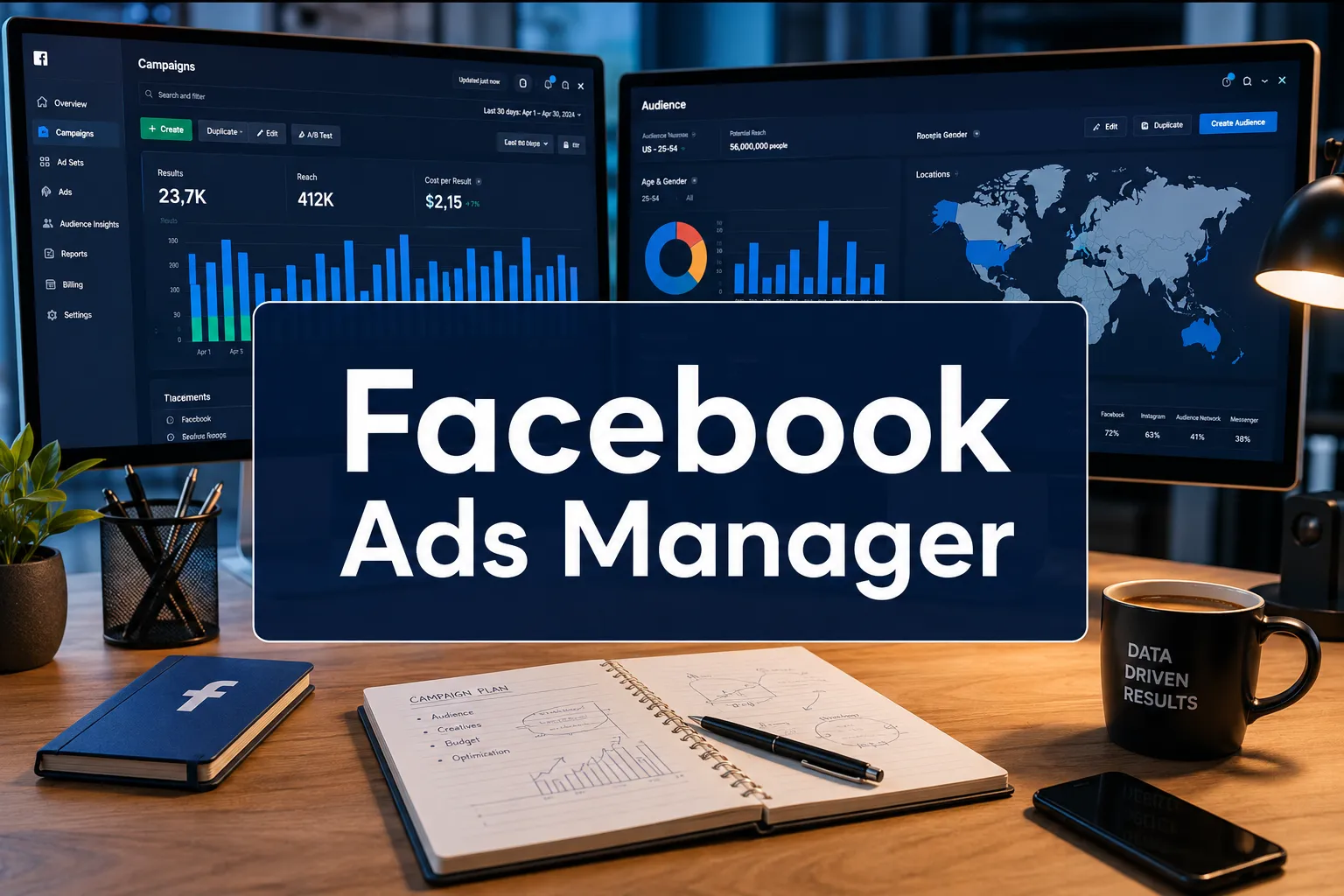
r three billion people use Meta’s family of apps every month, and the businesses reaching them most effectively are not the ones with the biggest budgets. They are the ones who have mastered Facebook Ads Manager. This platform is the central command center for every paid campaign that runs across Facebook, Instagram, Messenger, and the Audience Network. Understanding how it works, from campaign structure to optimization signals, is the single most leveraged skill a digital marketer can develop right now.
Key Takeaways
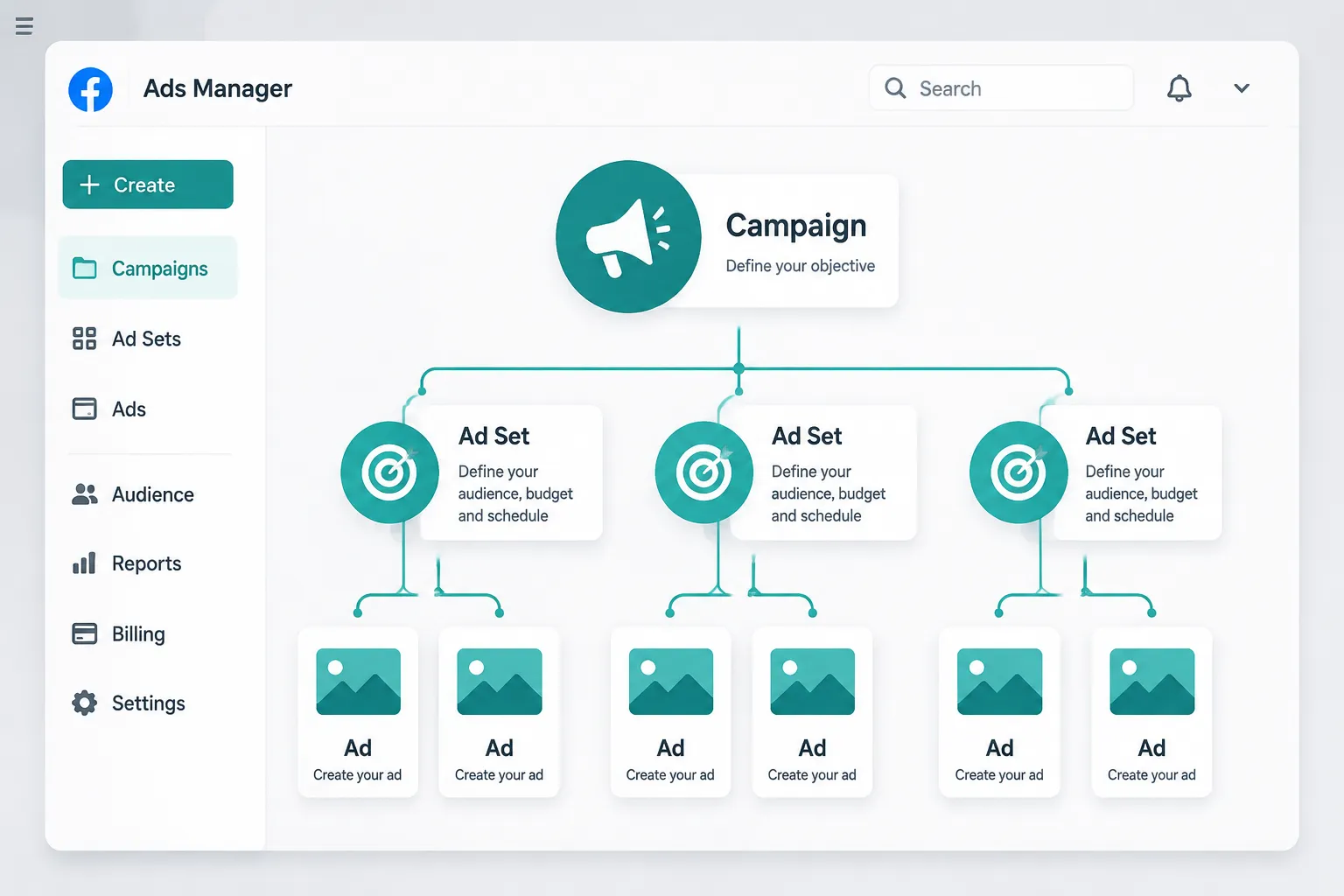
- Facebook Ads Manager uses a three-level hierarchy, Campaign, Ad Set, and Ad, that controls budget, targeting, and creative independently.
- Choosing the right campaign objective is the most important first decision; it tells Meta’s algorithm what outcome to optimize for.
- Audience targeting options, including Custom Audiences and Lookalike Audiences, are among the most powerful tools available in any paid media platform.
- The Ads Manager reporting dashboard provides granular performance data that should drive ongoing creative and bidding decisions.
- Common mistakes, such as editing campaigns too frequently or running too many ad sets at once, can stall the algorithm’s learning phase and waste budget.
What Is Facebook Ads Manager and Why It Matters
Facebook Ads Manager is Meta’s self-serve advertising platform that allows businesses of every size to create, manage, and measure paid campaigns across Meta’s entire ecosystem. Unlike boosting a post directly from a Facebook page, a simplified shortcut with limited controls, Ads Manager gives advertisers full access to every targeting parameter, bidding strategy, placement option, and creative format available.
The distinction matters enormously. A boosted post is a blunt instrument. Facebook Ads Manager is a precision tool.
When a business logs into Ads Manager, it enters a workflow built around three core questions:
- What do you want to achieve? (Campaign objective)
- Who should see your ads? (Ad Set targeting)
- What will they see? (Ad creative)
Each question corresponds to one level of the campaign hierarchy, and each level can be controlled independently. This structure is what makes the platform both powerful and, initially, intimidating.
The Three-Level Campaign Structure
Understanding this hierarchy is non-negotiable for anyone running paid social.
| Level | What It Controls | Key Decisions |
|---|---|---|
| Campaign | Overall objective and budget type | Objective, Campaign Budget Optimization (CBO) |
| Ad Set | Who sees the ad and when | Audience, placements, schedule, bid strategy |
| Ad | What the audience actually sees | Creative format, copy, headline, call to action |
Campaign Budget Optimization (CBO), now called Advantage Campaign Budget, lets Meta distribute the budget automatically across ad sets based on real-time performance signals. For most advertisers running multiple ad sets, this is the recommended approach in 2026 because it reduces manual budget shuffling and lets the algorithm work efficiently.
Setting Up Facebook Ads Manager: A Step-by-Step Overview
Getting started with Facebook Ads Manager requires a Meta Business Suite account and an active ad account. Once those are in place, the setup process follows a logical sequence.
Step 1: Choose the Right Campaign Objective
Meta currently organizes objectives into six categories:
- Awareness, Maximize reach and brand recall
- Traffic, Drive clicks to a website, app, or landing page
- Engagement, Encourage post interactions, video views, or messages
- Leads, Collect contact information via lead forms or website conversions
- App Promotion, Drive app installs and in-app actions
- Sales, Optimize for purchases, add-to-carts, or other conversion events
“The objective you choose tells Meta’s algorithm exactly what to optimize for. Select the wrong one and you will pay for the wrong behavior.”
Choosing “Traffic” when the actual goal is sales is one of the most common and costly mistakes new advertisers make. Traffic optimization delivers clicks, but those clicks may come from users who have no intent to buy. Sales optimization, by contrast, targets users who are statistically more likely to complete a purchase.
Step 2: Define the Ad Set
At the Ad Set level, advertisers control four critical variables:
Audience: Meta offers three primary audience types:
- Core Audiences, Built using demographic data, interests, and behaviors
- Custom Audiences, Uploaded customer lists, website visitors (via the Meta Pixel), or app users
- Lookalike Audiences, New users who share characteristics with an existing Custom Audience
Placements: Ads can run across Facebook Feed, Instagram Feed, Instagram Stories, Reels, Messenger, Audience Network, and more. Meta’s Advantage+ Placements (formerly Automatic Placements) is recommended for most campaigns because it allows the algorithm to find the lowest-cost placements in real time.
Budget and Schedule: Budgets can be set as daily or lifetime amounts. Scheduling allows ads to run continuously or within specific date ranges.
Bid Strategy: Options include Highest Volume (formerly Lowest Cost), Cost Per Result Goal, Bid Cap, and Minimum ROAS. For most advertisers, Highest Volume is the best starting point.
Step 3: Build the Ad Creative
The Ad level is where creative strategy meets technical execution. Facebook Ads Manager supports multiple formats:
- Single Image, Simple, fast-loading, effective for direct response
- Video, Strong for storytelling, awareness, and retargeting
- Carousel, Multiple images or videos in a swipeable format; ideal for e-commerce
- Collection, A full-screen mobile experience combining video and product catalog
- Instant Experience, A fast-loading, full-screen canvas that opens within the app
Each format has its own best-use scenarios. Carousel ads, for example, consistently outperform single-image ads for e-commerce brands showcasing multiple products because they allow users to browse without leaving the platform.
Targeting, Optimization, and the Facebook Ads Manager Algorithm
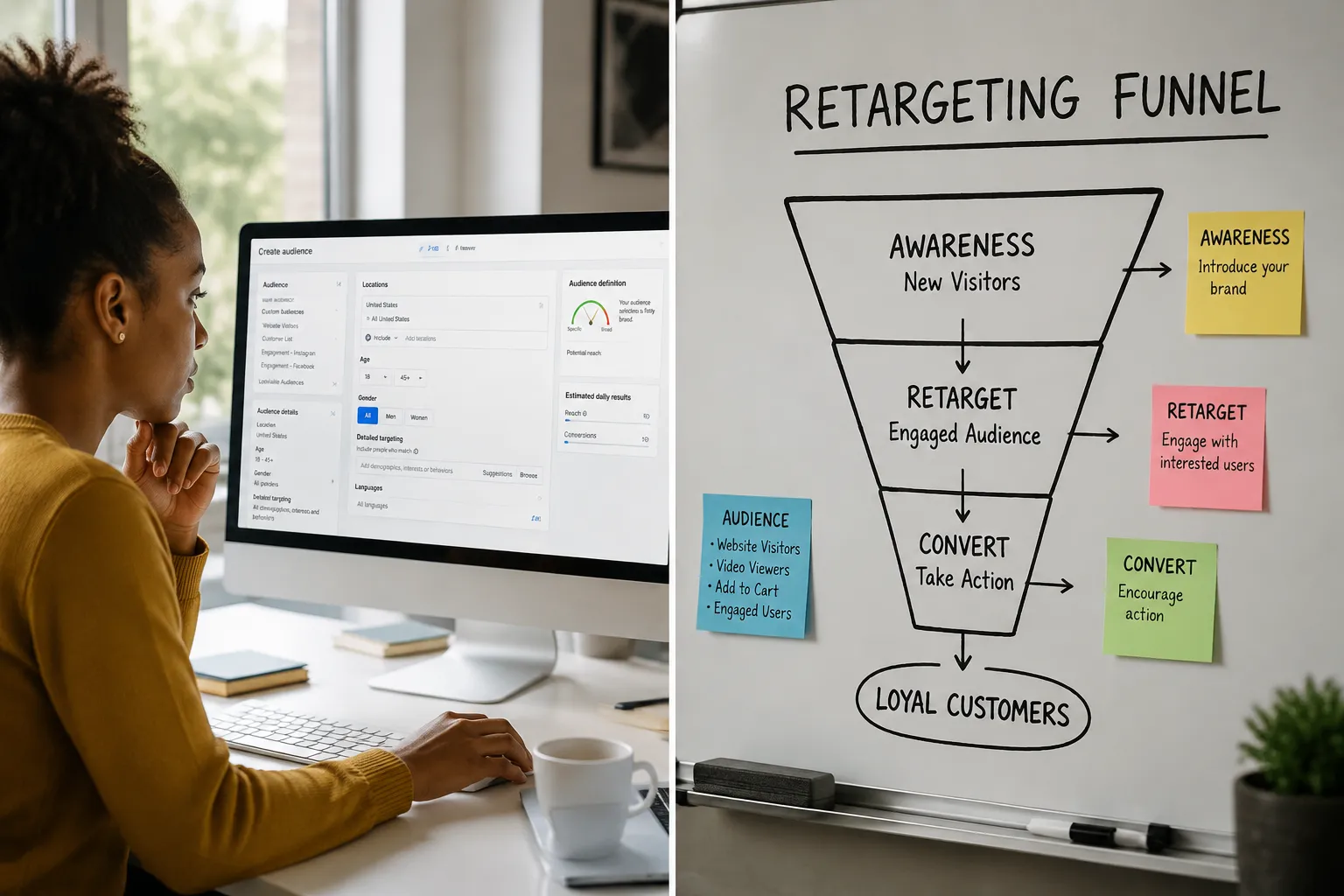
The targeting capabilities inside Facebook Ads Manager are what set Meta apart from nearly every other paid media platform. The depth of behavioral and interest data Meta has accumulated over two decades creates targeting possibilities that are genuinely unmatched.
Core Audience Targeting Options
Core Audiences can be built using:
- Location, Country, region, city, or a radius around a specific address
- Age and Gender, Basic demographic filters
- Detailed Targeting, Interests (cooking, fitness, travel), behaviors (recent purchase behavior, device usage), and demographics (education level, job title, relationship status)
- Connections, Target or exclude people connected to a specific Page, app, or event
Detailed Targeting Expansion, part of Meta’s Advantage+ suite, allows the algorithm to reach people beyond the defined audience if it predicts better results. For broad-appeal products, this often improves performance. For niche products with very specific buyers, it should be used cautiously.
Custom Audiences: The Highest-Value Targeting Tool
Custom Audiences are built from first-party data, the advertiser’s own customer information. Sources include:
- Customer lists, Email addresses or phone numbers uploaded directly
- Website traffic, Visitors tracked via the Meta Pixel or Conversions API
- App activity, Users who have taken specific actions in a mobile app
- Video engagement, People who have watched a percentage of a specific video
- Lead form interactions, People who opened or completed a lead form
Website Custom Audiences are particularly powerful for retargeting. An advertiser can create an audience of everyone who visited the checkout page in the last 30 days but did not complete a purchase, and serve them a specific offer designed to close the sale.
Lookalike Audiences
A Lookalike Audience takes a source Custom Audience (such as a list of existing customers) and finds new users on Meta who share similar characteristics. The size of the Lookalike can be set from 1% to 10% of a country’s population, where 1% is the closest match and 10% is the broadest.
For most advertisers, a 1-2% Lookalike based on high-value customers (those who have purchased multiple times or spent above a certain threshold) is the highest-performing cold audience available in Facebook Ads Manager.
The Learning Phase
When a new ad set launches, Meta’s algorithm enters a learning phase, a period during which it explores the audience and optimizes delivery. The learning phase typically requires approximately 50 optimization events within a seven-day window to complete.
During this phase, performance is often unstable. Key rules:
- Avoid making significant edits to the campaign during the learning phase, as each edit resets it
- Do not run too many ad sets simultaneously, as splitting the budget too thin prevents any single ad set from exiting learning
- If an ad set consistently fails to exit learning, consolidate audiences or increase the budget
Reading the Data: Facebook Ads Manager Reporting and Optimization

The reporting dashboard inside Facebook Ads Manager is where campaigns are won or lost. Raw data without interpretation is noise. Knowing which metrics to prioritize, and what they indicate, is the difference between scaling a campaign and burning budget.
Key Metrics Every Advertiser Should Monitor
Cost Per Result (CPR): The average cost to achieve the campaign’s objective. This is the primary efficiency metric for most campaigns.
Click-Through Rate (CTR): The percentage of people who clicked the ad after seeing it. A low CTR typically signals a creative or relevance problem, not a targeting problem.
Cost Per Click (CPC): The average cost per link click. Useful for diagnosing auction competitiveness.
Return on Ad Spend (ROAS): Revenue generated per dollar spent. The most important metric for e-commerce advertisers. A ROAS of 3.0 means three dollars returned for every dollar spent.
Frequency: The average number of times each person has seen the ad. When frequency rises above 3-4 in a short period, ad fatigue typically sets in and performance declines. This signals the need for new creative.
CPM (Cost Per 1,000 Impressions): The cost to reach 1,000 people. Rising CPMs indicate increased auction competition and may require creative or audience adjustments.
Custom Columns and Breakdowns
Facebook Ads Manager allows advertisers to customize the columns displayed in the reporting view. Saving a custom column set that includes the metrics most relevant to the campaign objective saves significant time during daily reviews.
The Breakdowns feature is equally valuable. It allows performance data to be segmented by:
- Age and gender
- Placement (Facebook Feed vs. Instagram Reels, for example)
- Time of day or day of week
- Device (mobile vs. desktop)
These breakdowns often reveal surprising insights. A campaign might be profitable on desktop but losing money on mobile, a finding that would be invisible without the breakdown view.
A/B Testing in Facebook Ads Manager
Meta’s built-in A/B testing tool (also called split testing) allows advertisers to test one variable at a time, creative, audience, placement, or bid strategy, with statistical confidence. The tool splits the audience randomly to ensure clean results.
Best practices for A/B testing:
- Test one variable at a time only
- Run tests long enough to reach statistical significance (typically 7-14 days)
- Set a clear hypothesis before launching the test
- Use the winning variant to inform future creative and targeting decisions
Common Mistakes and How to Avoid Them
Even experienced advertisers make avoidable errors in Facebook Ads Manager. These are the most costly:
Over-editing campaigns. Every significant edit resets the learning phase. Set up campaigns thoughtfully, then give them time to stabilize before making changes.
Too many ad sets with too little budget. Splitting a $50/day budget across five ad sets gives each one $10/day, not enough to generate the 50 weekly optimization events needed to exit learning. Consolidate.
Ignoring creative fatigue. The algorithm can only do so much. When frequency climbs and CTR drops, new creative is the solution, not a new audience.
Mismatched objectives and goals. Using an Engagement objective to drive sales is a structural mismatch. Always align the objective with the actual business outcome.
Skipping the Meta Pixel or Conversions API. Without conversion tracking, the algorithm has no signal to optimize against. Installing the Pixel and, where possible, the Conversions API (which sends server-side events and is more resilient to browser privacy restrictions) is non-negotiable for performance campaigns.
Broad targeting without creative differentiation. Broad audiences work well when the creative itself does the targeting work, when the ad speaks directly to a specific problem or desire. Running generic creative to a broad audience is a recipe for high CPMs and low ROAS.
FAQ: Facebook Ads Manager
What is the difference between Facebook Ads Manager and Meta Business Suite?
Meta Business Suite is the broader platform for managing a business’s presence on Facebook and Instagram, including organic posts, messages, and insights. Facebook Ads Manager is the dedicated tool within that ecosystem specifically for creating and managing paid advertising campaigns.
How much does it cost to advertise using Facebook Ads Manager?
There is no minimum spend requirement. Advertisers can start with as little as $1 per day, though budgets that low rarely generate meaningful data. Most small businesses see better results starting at $20-50 per day per campaign, which provides enough volume for the algorithm to optimize effectively.
What is the Meta Pixel and do I need it?
The Meta Pixel is a small piece of JavaScript code installed on a website that tracks visitor actions, page views, add-to-carts, purchases, and more. It is essential for running conversion-optimized campaigns and for building website Custom Audiences. In 2026, the Conversions API is the recommended complement to the Pixel, as it sends event data server-side and is less affected by browser-based tracking restrictions.
How long should I run an ad before judging its performance?
Allow at least 7 days before making significant judgments, and ideally wait until the ad set has generated at least 50 optimization events. Pausing or heavily editing ads in the first 3-5 days almost always produces worse long-term results because it interrupts the learning phase.
What is Advantage+ Shopping Campaigns?
Advantage+ Shopping Campaigns (ASC) is Meta’s most automated campaign type, designed primarily for e-commerce advertisers. It combines prospecting and retargeting into a single campaign and gives the algorithm maximum control over audience, placement, and creative combinations. Many e-commerce brands in 2026 use ASC as their primary campaign type alongside a manual retargeting campaign.
Can Facebook Ads Manager be used for B2B advertising?
Yes, though it requires a different approach than B2C. B2B advertisers typically focus on job title, industry, and company size targeting within Detailed Targeting, combined with lead generation objectives and high-value content offers. LinkedIn often outperforms Meta for B2B at the top of the funnel, but Meta’s retargeting capabilities make it highly effective for warming up prospects already familiar with a brand.
Conclusion
Facebook Ads Manager remains one of the most capable and cost-effective advertising platforms available to businesses in 2026. Its combination of granular targeting, flexible creative formats, powerful automation tools, and detailed reporting creates an environment where both small businesses and enterprise brands can generate meaningful returns, provided the fundamentals are executed correctly.
Actionable next steps:
- Audit the campaign structure. Ensure campaigns follow the three-level hierarchy with clear objectives at each level. Consolidate ad sets that are splitting budget too thin.
- Verify tracking. Confirm the Meta Pixel is firing correctly and consider implementing the Conversions API for more reliable event data.
- Build a Custom Audience stack. Create audiences from website visitors, customer lists, and video engagers, then build Lookalike Audiences from the highest-value segments.
- Establish a creative testing cadence. Commit to testing at least two new ad creatives per month. Treat creative refresh as a recurring operational task, not a one-time project.
- Review the reporting dashboard weekly. Monitor frequency, CTR, and ROAS at minimum. Use breakdowns to identify underperforming placements or demographics and adjust accordingly.
The advertisers who win on Meta are not necessarily the ones with the largest budgets. They are the ones who understand how the platform works, respect the algorithm’s need for data, and commit to continuous creative and strategic improvement.