
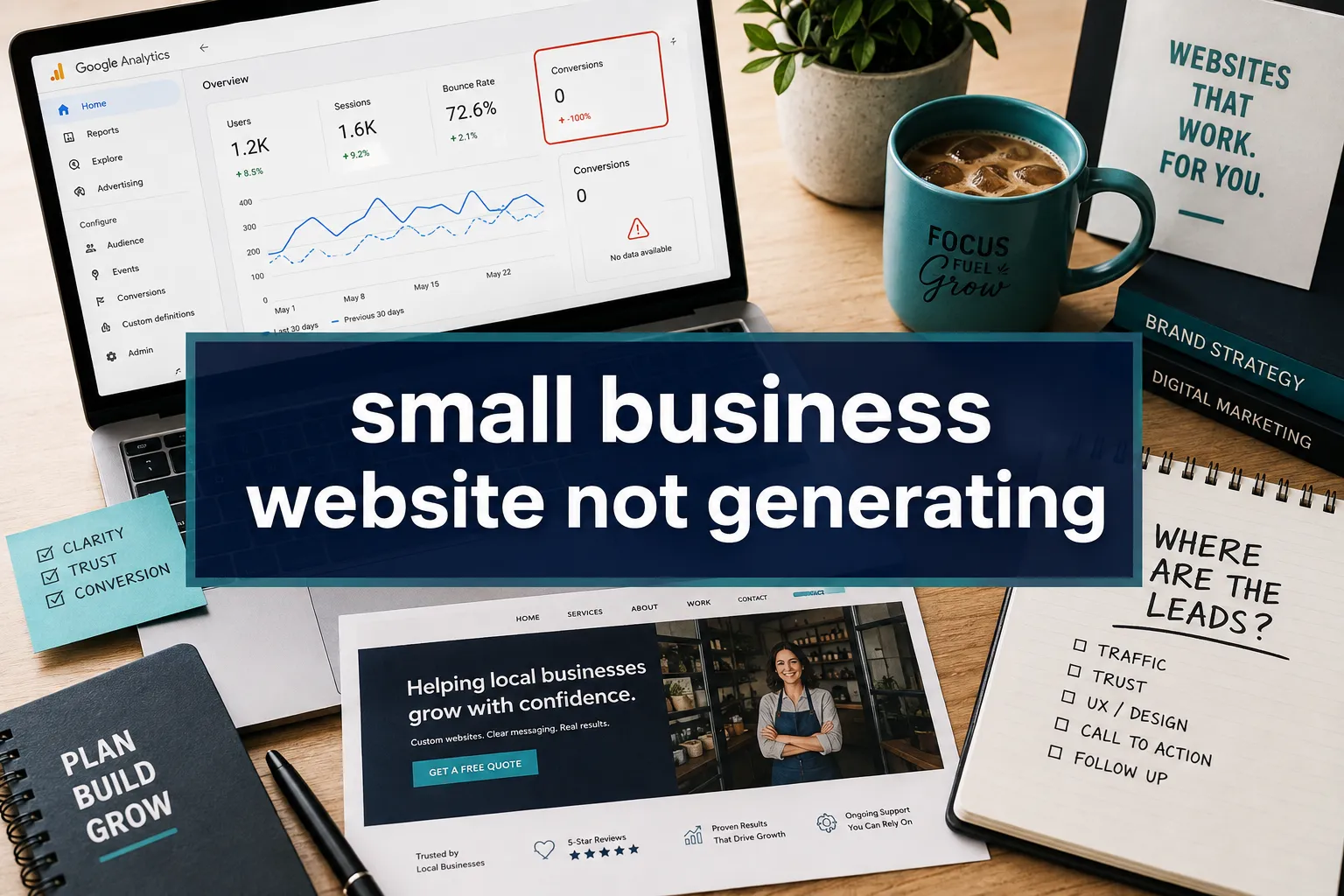
Only about 2 to 3 visitors out of every 100 take a meaningful action on the average business website, and for many small business owners, that number is far lower. If your small business website is not generating leads or enquiries, the uncomfortable truth is that a website alone is rarely enough. The problem almost always traces back to one of four root causes: the wrong visitors arriving, messaging that fails to connect, calls to action that are too weak or hidden, or a user experience that quietly drives people away before they ever reach a contact form. It’s crucial to address why your website is not generating leads, especially if you are facing the challenge of a website not generating leads. This article breaks down each cause, shows you how to diagnose which one is costing you the most, and gives you a clear, prioritised fix list, no technical degree required.
Key Takeaways
- The median website conversion rate is roughly 2-3%, but top-performing small business sites reach 5% or higher, meaning most owners are leaving significant revenue on the table
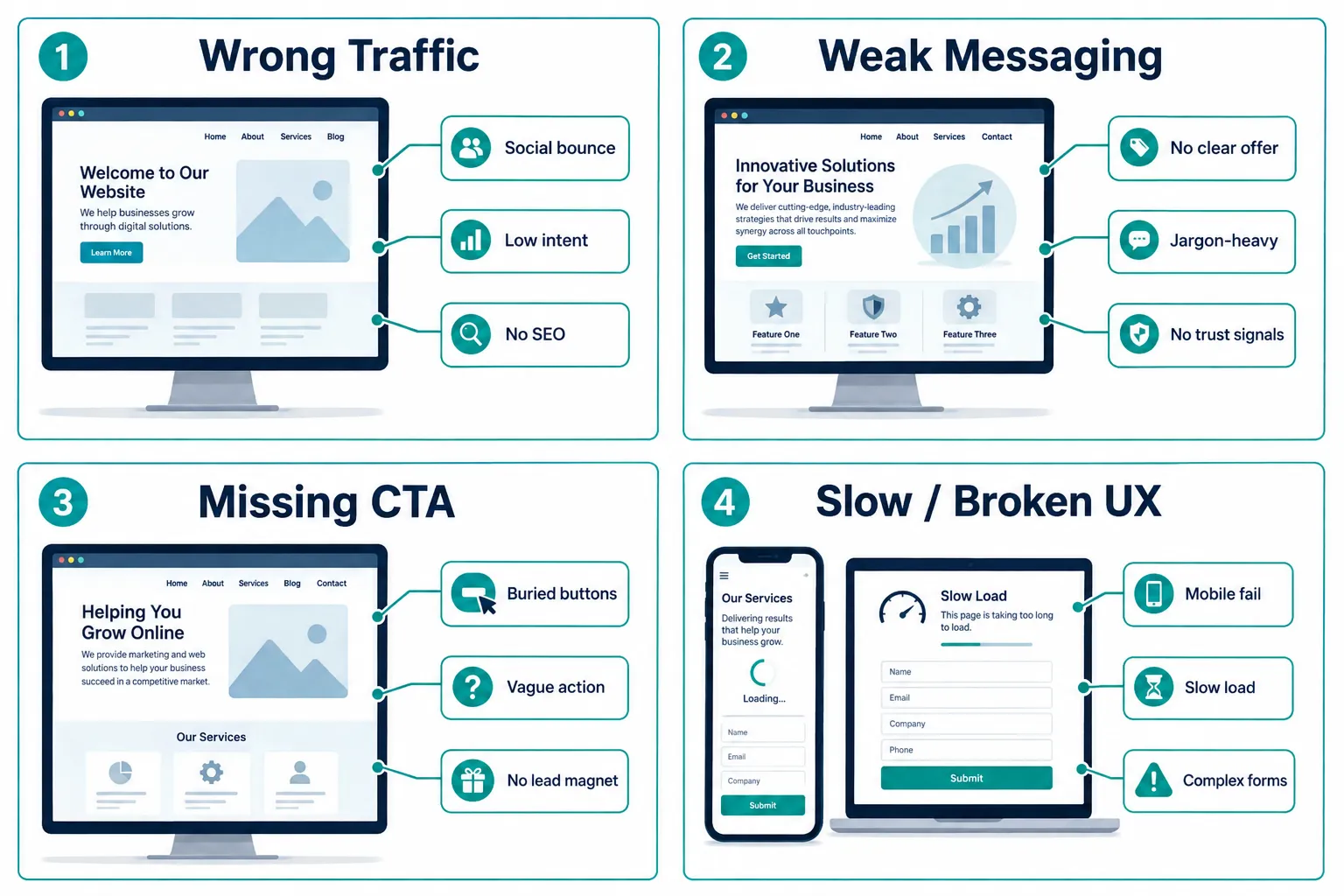
- A small business website that is not generating leads is almost always suffering from one of four fixable problems: wrong traffic, unclear messaging, missing calls to action, or poor user experience
- Dedicated landing pages convert at roughly 6.6% on average, nearly triple the rate of generic homepage-only sites, making focused pages one of the highest-leverage fixes available
- Organic social media traffic converts at only 0.5-1.0%, while referral and email traffic converts at 3-5%, so traffic source matters as much as the website itself
- Fixing conversion problems systematically, not randomly, can grow lead volume and quality simultaneously while reducing cost per lead
This article highlights the common issues faced when a website is not generating leads and provides actionable solutions. This article emphasizes the significance of understanding the reasons behind your website not generating leads to effectively implement changes and attract potential customers.
Table of Contents
- Quick Answer: The Four Root Causes
- Why Most Small Business Websites Underperform on Leads
- Root Cause 1, Wrong Traffic
- Root Cause 2, Unclear Messaging and Weak Value Proposition
- Root Cause 3, Missing or Buried Calls-to-Action
- Root Cause 4, Poor User Experience and Technical Issues
- How to Diagnose Which Problem You Have First
- Your Prioritized Fix List
- FAQ
- Conclusion
Quick Answer: The Four Root Causes
Enquiry problems on small business websites almost always come from one of four issues:
| Root Cause | What It Looks Like | Quick Signal |
|---|---|---|
| Wrong traffic | Visitors bounce immediately | High bounce rate, low time-on-page |
| Unclear messaging | People don’t understand what you do | Low scroll depth, no form views |
| Missing CTAs | No obvious next step | Form never seen, few clicks |
| Poor UX / tech issues | Site is slow, broken, or hard to use | Mobile exits, high page load time |
Identifying which of these applies to your site, before spending money on ads or a redesign, is the single most valuable thing you can do in 2026.
Why Most Small Business Websites Underperform on Leads
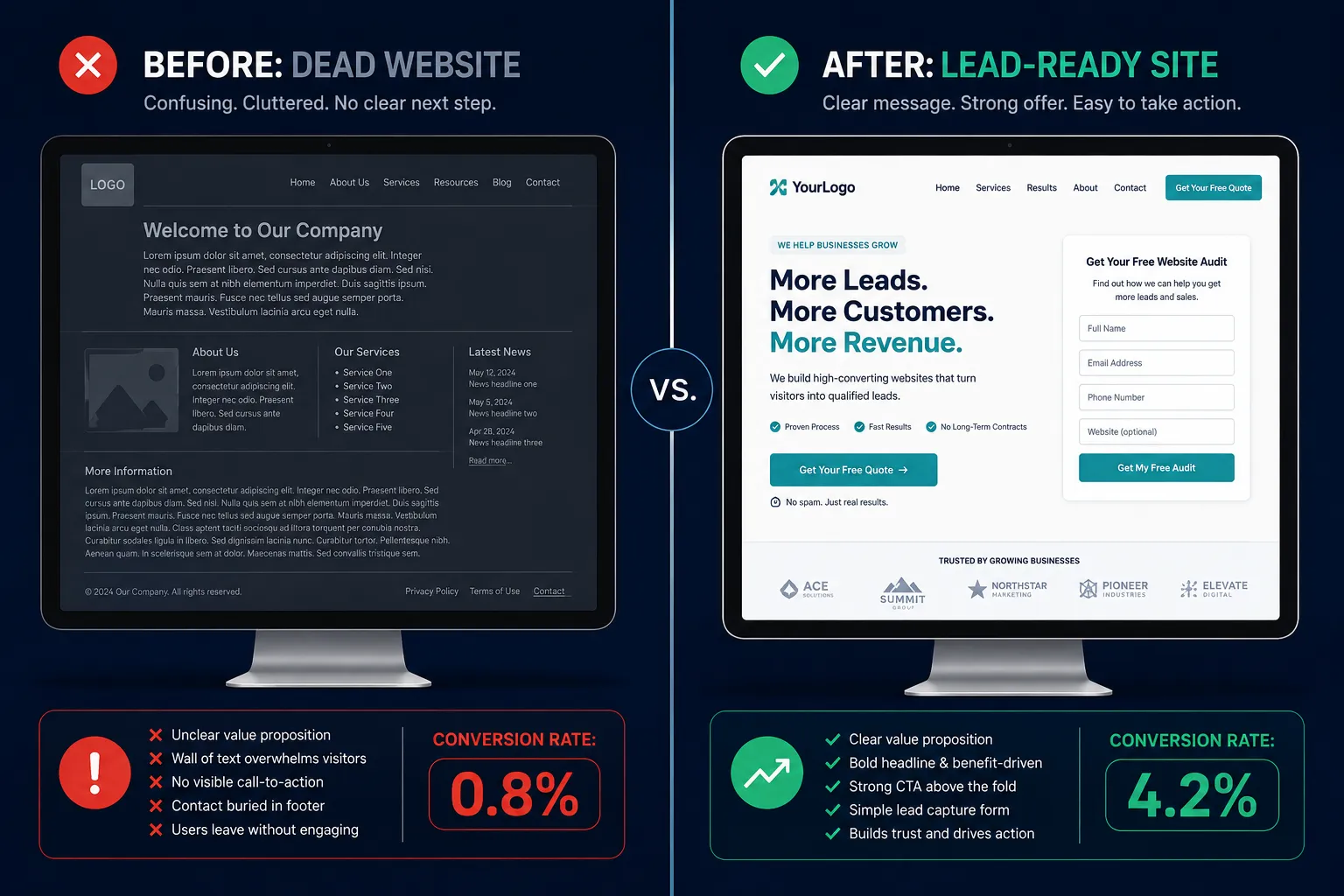
Consider a common scenario: a local accountant invests in a professional-looking website, shares it on Facebook, and waits for the phone to ring. Six months later, Google Analytics shows 400 monthly visitors and exactly two contact form submissions. The site looks fine. So what went wrong? This pattern is more common than most owners realize. The median website conversion rate across all industries sits at approximately 2.35%, but that average masks a wide spread. Top-quartile sites convert around 5.31% of visitors, and the top 10% exceed 11.45%. A small business sitting at 0.5% is not just slightly behind, it is operating at a fraction of what is achievable. The gap is not usually a design problem. It is a systems problem. A website that does not generate leads is typically missing one or more of the following:
- SEO-optimized content built around real customer questions
- Lead magnets, checklists, calculators, or templates behind an email opt-in
- A well-maintained Google Business Profile for local visibility
- Strong trust signals such as reviews, case studies, and credentials
- Exit-intent prompts or chatbots that catch visitors before they leave
Generic “brochure” sites, those with only a homepage, an About page, and a basic contact form, significantly underperform compared with targeted landing pages. Dedicated campaign landing pages convert at a median of roughly 6.6%, compared with the 2-3% typical of general websites. That gap represents more than half of potential leads going uncaptured. There is also a growing opportunity that many small businesses are missing entirely. AI-powered search interfaces now send visitors who convert at 3.8-4.6% for B2B queries, above the rate of most traditional channels. Websites that lack structured, useful content are invisible to these systems. For a deeper look at how marketing investment connects to measurable returns, the Small Business Marketing ROI: Benchmarks and Strategies 2026 guide provides useful context alongside the conversion benchmarks discussed here.
Root Cause 1, Wrong Traffic
Traffic quality is the most underestimated factor in lead generation. A small business website that is not generating leads often has a traffic problem disguised as a website problem. Channel-level data tells a stark story. Average B2B website conversion sits around 2.9%, but organic social media, the channel most small businesses rely on, converts at only 0.5-1.0%. Referral traffic, by contrast, converts at 3.0-5.0%, and email converts at 2.0-2.4%. What this means in practice:
- A plumber who gets 80% of site traffic from Facebook posts is working with the lowest-converting traffic source available
- The same plumber with a Google Business Profile ranking in local search, or with a referral program from past customers, would likely see three to five times more enquiries from the same number of visitors
The fix is not always to rebuild the website. Sometimes it is to change where the traffic comes from. Traffic quality checklist:
- Are most visitors arriving from organic search (Google)?
- Is the site ranking for any terms that signal buying intent (e.g., “emergency plumber [city]”)?
- Is there an active referral or review strategy feeding warm visitors?
- Is there any email list being used to drive repeat visits?
For businesses that rely heavily on social content to drive traffic, understanding how to use video strategically can shift the quality of that traffic. The Small Business Video Strategy: Capture Attention and Convert guide covers how to turn social content into a higher-intent pipeline rather than a vanity metric. It is also worth noting that a website alone rarely generates consistent leads without a multi-channel system. Inbound SEO and content typically takes 3-6 months to deliver meaningful results, paid ads 1-2 weeks, and referral programs 1-3 months. Owners who “put up a website” without layering these channels will almost always see a stagnant pipeline.
Root Cause 2, Unclear Messaging and Weak Value Proposition
When a visitor lands on a homepage and cannot immediately answer three questions, “What does this business do?”, “Is it for me?”, and “Why should I choose them?”, they leave. This happens within seconds, not minutes. Weak messaging is one of the most common reasons a small business website continues to underperform even after traffic improves. The value proposition, the single clearest statement of what you do, who you serve, and what makes you different, must appear above the fold on every key page. Signs your messaging is the problem:
- Your homepage headline describes your business category rather than the outcome you deliver (e.g., “Professional Accounting Services” vs. “Tax Returns for Tradies, Done in 48 Hours”)
- There are no testimonials, case studies, or recognizable client logos visible without scrolling
- The About page talks about the business history rather than the client’s problem
- Pricing, process, or next steps are never mentioned
Trust signals deserve special attention. Reviews, credentials, before-and-after results, and named client outcomes are not optional extras, they are conversion infrastructure. Professional services sites that include these elements perform at 3.5-4% conversion on average, with top performers closer to 7%. Sites without them often sit closer to 1-2%. A note on brand consistency: Messaging problems often connect to broader brand identity issues. If your website, social profiles, and printed materials all look and sound slightly different, visitors lose confidence. The Brand Identity for Small Business: Fix Inconsistent Branding resource addresses this directly and is worth reviewing alongside any messaging audit. Businesses serving multilingual communities face an additional layer of this problem. If your website speaks only one language but your target customers speak another, the messaging gap is literal. The Website Translation for Business: The ROI Guide (2026) outlines how translation investments translate into measurable lead growth.
Root Cause 3, Missing or Buried Calls-to-Action
A call-to-action (CTA) is the specific instruction that tells a visitor what to do next. Without a clear, prominent CTA, even interested visitors drift away without making contact. This is one of the most fixable problems on any site, and one of the most commonly overlooked. Many small business websites have a single “Contact Us” link buried in the navigation or footer. That is not a CTA strategy. That is an afterthought. What an effective CTA structure looks like:
- A primary CTA above the fold on the homepage (e.g., “Get a Free Quote”, “Book a Call”, “Download the Checklist”)
- A repeated CTA mid-page and at the bottom of every service page
- A lead magnet, a free resource in exchange for an email address, for visitors not yet ready to buy
- A secondary CTA for lower-commitment actions (e.g., “See How It Works” or “Read a Case Study”)
The difference between a site with and without these elements is significant. One tracked dataset showed that when businesses improved their on-site funnel and content systematically, organic leads grew 36.4% over nine months while the cost per lead fell 23.3%. The site did not change visually, the offer structure and CTA placement did. Lead magnets worth considering for service businesses:
- A checklist relevant to the customer’s problem (e.g., “10 Signs You Need a New Accountant”)
- A calculator that quantifies the value of the service
- A short guide or template that demonstrates expertise
- A free consultation or audit offer with a clear booking link
For businesses exploring automation to handle lead capture and follow-up, Small Business AI Automation: The 2026 Complete Guide covers how AI tools can qualify and respond to enquiries without adding staff hours.
Root Cause 4, Poor User Experience and Technical Issues
A website can have the right traffic, clear messaging, and strong CTAs, and still fail to generate leads if the technical experience is broken. Slow load times, non-mobile layouts, confusing navigation, and complex forms are among the most commonly flagged conversion killers. These problems are especially acute on small business sites built once and rarely updated. The numbers are unambiguous:
- Sites with load times above 3 seconds see significant abandonment increases
- More than 60% of web traffic now comes from mobile devices, and a site that looks broken on a phone loses most of its visitors before they reach any CTA
- Long or multi-step forms dramatically reduce submission rates, every additional field reduces conversions
Technical UX checklist:
| Issue | How to Check | Quick Fix |
|---|---|---|
| Slow load time | Google PageSpeed Insights | Compress images, use caching |
| Not mobile-friendly | Google Mobile-Friendly Test | Switch to a responsive theme |
| Complex forms | Count the fields | Remove all non-essential fields |
| Confusing navigation | Ask someone unfamiliar to find your contact page | Simplify menu, add sticky CTA |
| No HTTPS | Check browser address bar | Install SSL certificate |
For WordPress-powered sites specifically, speed issues are a common and solvable problem. The Fix Slow WordPress Site & Recover Lost Sales in 2026 guide walks through the most impactful technical fixes without requiring developer expertise. Ongoing technical maintenance is also worth planning for. Small business owners who do not have in-house technical skills benefit from having a reliable support relationship in place. Small Business Tech Support: The Complete Guide (2026) outlines the options available and what to look for in a provider.
How to Diagnose Which Problem You Have First
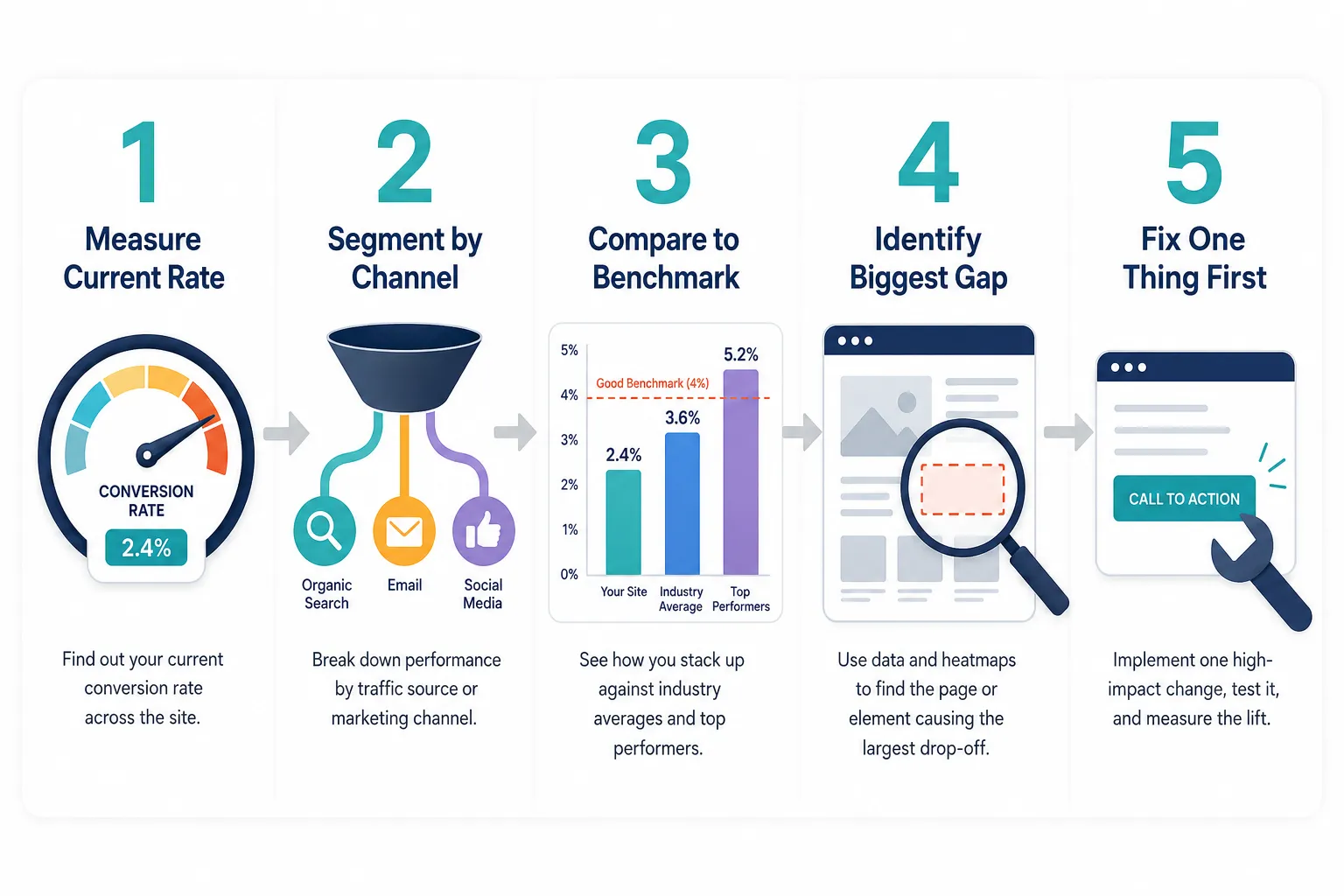
Before fixing anything, measure the current state. The diagnostic process takes less than an hour and prevents wasted effort. Step 1, Find your current conversion rate. Divide total enquiries (calls, form fills, bookings) in the last 30 days by total website sessions. Multiply by 100. If the result is below 1%, there is a serious problem. Between 1-2% is underperforming. Above 3% is approaching the median. Step 2, Segment by traffic source. In Google Analytics, check which channels send the most traffic and which convert best. If social sends the most traffic but converts at under 1%, and organic search sends less but converts at 3%+, the priority is clear: grow organic search, not social posting. Step 3, Check the funnel drop-off. Use heatmaps (tools like Hotjar offer free plans) to see where visitors stop scrolling. If most people never reach the CTA, the messaging or page length is the problem. If they reach the form but do not submit, the form is the problem. Step 4, Compare against benchmarks. For professional services, a realistic target is 3.5-4% conversion, with top performers reaching 7%. If the gap between current performance and benchmark is large, the fix is structural. If the gap is small, incremental CTA and copy improvements may be enough. Step 5, Quantify the revenue gap. Multiply monthly traffic by the benchmark conversion rate, then by average client value. The difference between that number and current enquiry revenue is the cost of inaction, and the business case for prioritizing fixes.
Your Prioritized Fix List
Not every fix delivers equal results. Based on conversion impact and implementation speed, here is the recommended order:
- Fix traffic source first, if over 70% of traffic is from organic social, invest in local SEO or a Google Business Profile before touching the website
- Clarify the homepage headline, rewrite it to state the outcome you deliver and who you serve, in plain language
- Add a primary CTA above the fold, one clear button, one clear action, visible without scrolling
- Add trust signals, at minimum, three testimonials with names and photos, plus any relevant credentials
- Create one lead magnet, a simple checklist or free consultation offer captures visitors not yet ready to call
- Fix mobile and speed issues, run PageSpeed Insights and address the top three flagged items
- Simplify the contact form, reduce to name, email, phone, and one qualifying question
FAQ
How long does it take to see results after fixing a small business website? Technical fixes like speed and mobile layout can improve conversion rates within days of deployment. Messaging and CTA changes typically show measurable results within 2-4 weeks. SEO-driven traffic growth takes 3-6 months to build meaningfully. What is a realistic conversion rate target for a small service business website? For most small professional services businesses, 3-4% is a realistic near-term target. Strong performers reach 5-7%. Below 1% is a clear signal that something structural needs to change. Should a small business invest in paid ads before fixing the website? No. Paid ads send traffic to whatever experience already exists. If the site converts at 0.5%, paid traffic will also convert at 0.5%, at a cost. Fix the on-site conversion problems first, then scale traffic through paid channels. What is the single highest-impact change most small business websites can make? Adding a clear, specific primary CTA above the fold, with a compelling offer rather than a generic “Contact Us”, consistently delivers the fastest conversion lift for sites that currently lack one. Does website design matter more than content for lead generation? Content and offer clarity matter more than visual design in most cases. A plain-looking site with a clear value proposition, strong testimonials, and an obvious CTA will outperform a beautifully designed site with vague messaging. Design supports trust; it does not replace substance. How do I know if my traffic is low-intent? Check average session duration and pages per session in Google Analytics. If most visitors spend under 30 seconds and view only one page, the traffic is low-intent or mismatched to the offer. Segment by channel to identify which source is sending the least engaged visitors.
Website Conversion Rate Checker
Quick website conversion check
Use this quick manual check with your last 30 days of traffic and enquiry data. It avoids a broken button and gives you the same answer clearly.
Formula
Conversion rate = enquiries ÷ website visitors × 100
Example: 8 enquiries from 400 visitors = 8 ÷ 400 × 100 = 2%.
If the result is low, work through the checklist below before paying for more traffic. More visitors will not help much if the page is already leaking enquiries.
Conclusion
A small business website that is not generating leads is usually not just a design problem; it is a systems problem. The four root causes (wrong traffic, unclear messaging, missing CTAs, and poor user experience) are all fixable, and they are fixable in a logical order that does not require a full redesign or a large budget. Actionable next steps to take this week:
- Calculate your current conversion rate using the checker above and compare it against the 2-3% industry median
- Open Google Analytics and identify which traffic channel converts best, then plan to grow that channel, not the lowest-performing one
- Rewrite your homepage headline to state a specific outcome for a specific customer
- Add one clear CTA button above the fold on your homepage
- Remove every non-essential field from your contact form
The businesses that consistently generate enquiries from their websites are not necessarily the ones with the biggest budgets or the most sophisticated technology. They are the ones that treat their website as a living system, measuring it, testing it, and improving one element at a time. Start with the highest-impact fix identified by your diagnostic, implement it cleanly, and measure the result before moving to the next. That disciplined approach, applied consistently over 90 days, is what separates a website that generates leads from one that simply exists. If the audit shows multiple problems at once, the next step is usually not to guess. Prepare a short brief for a website conversion specialist that includes your monthly traffic, current enquiry count, main service pages, target customer, and the top two problems you suspect. That gives the specialist enough context to recommend copy, UX, speed or rebuild work without wasting the first conversation on basic discovery.