
Last updated: August 2026
Quick Answer: Effective website design and development for small business means building a site that earns trust, explains your offer clearly, loads fast on mobile, and guides visitors toward an enquiry or sale. Most small businesses need a combination of design, development, and ongoing optimisation, not just a pretty homepage. The right approach depends on where your current site is failing, how much traffic you already have, and what business outcome you are trying to drive.
Key Takeaways
- A small business website must do seven jobs at once: build trust, explain the offer, work on mobile, load fast, convert visitors, support search visibility, and stay maintained.
- Website design and website development are different disciplines. Many projects need both, but diagnosing which one is failing saves money and time.
- Mobile performance is non-negotiable. A site that looks good on desktop but fails on a phone is not a finished site.
- A slow website loses customers before they read a single word. Page speed affects both search visibility and conversion.
- DIY builders work for the earliest stage, but most growing businesses outgrow them once leads, ecommerce, SEO, or integrations matter.
- Before hiring a specialist, prepare a clear brief: goals, audience, platform, brand assets, content, and examples of sites you admire.
- Ongoing maintenance is not optional. Security patches, plugin updates, backups, and content freshness all affect trust and performance.
- The most important commercial decision is whether to optimise the existing site or rebuild from scratch.
Table of Contents
- Why a Small Business Website Is More Than an Online Brochure
- Website Design vs Website Development vs Website Optimisation
- The 7 Jobs Every Small Business Website Must Do
- Common Website Problems and the Right Specialist to Fix Each
- DIY Website Builder, Template Website or Custom Build?
- WordPress, Shopify, Webflow or Custom Code: Which Platform Makes Sense?
- When to Optimise an Existing Website vs Rebuild From Scratch
- What Small Business Website Work Usually Costs
- What to Prepare Before Hiring a Website Specialist
- Small Business Website Project Brief Checklist
- How to Judge Whether a Website Specialist Is a Good Fit
- How Website Design Connects to Speed, SEO and Enquiries
- FAQ
- Final Takeaway: Build the Website Around the Business Outcome
Why a Small Business Website Is More Than an Online Brochure
A small business website is the single most controllable asset in your marketing mix. Unlike a social media profile, you own it outright. Unlike a printed brochure, it works around the clock, can be updated instantly, and is often the first place a potential customer goes to decide whether to trust you.
Yet many small business owners still treat their website as a digital version of a tri-fold pamphlet: a logo, a few paragraphs, a phone number, and a contact form. That approach leaves serious revenue on the table. A well-built site actively qualifies visitors, answers objections, and moves people toward a booking, a purchase, or an enquiry without you having to be present.
Research into small business website performance consistently shows that trust signals, clear calls to action, and fast load times are the difference between a site that generates leads and one that simply exists. If your website is not generating enquiries, the problem is rarely that people are not visiting. It is usually that the site is not doing its job once they arrive. For a deeper look at that specific failure mode, read why your small business website is not generating leads.
The business case is clear: a professionally built, well-maintained website is not just a cost. It is the infrastructure that makes every other marketing activity more effective.
Website Design vs Website Development vs Website Optimisation
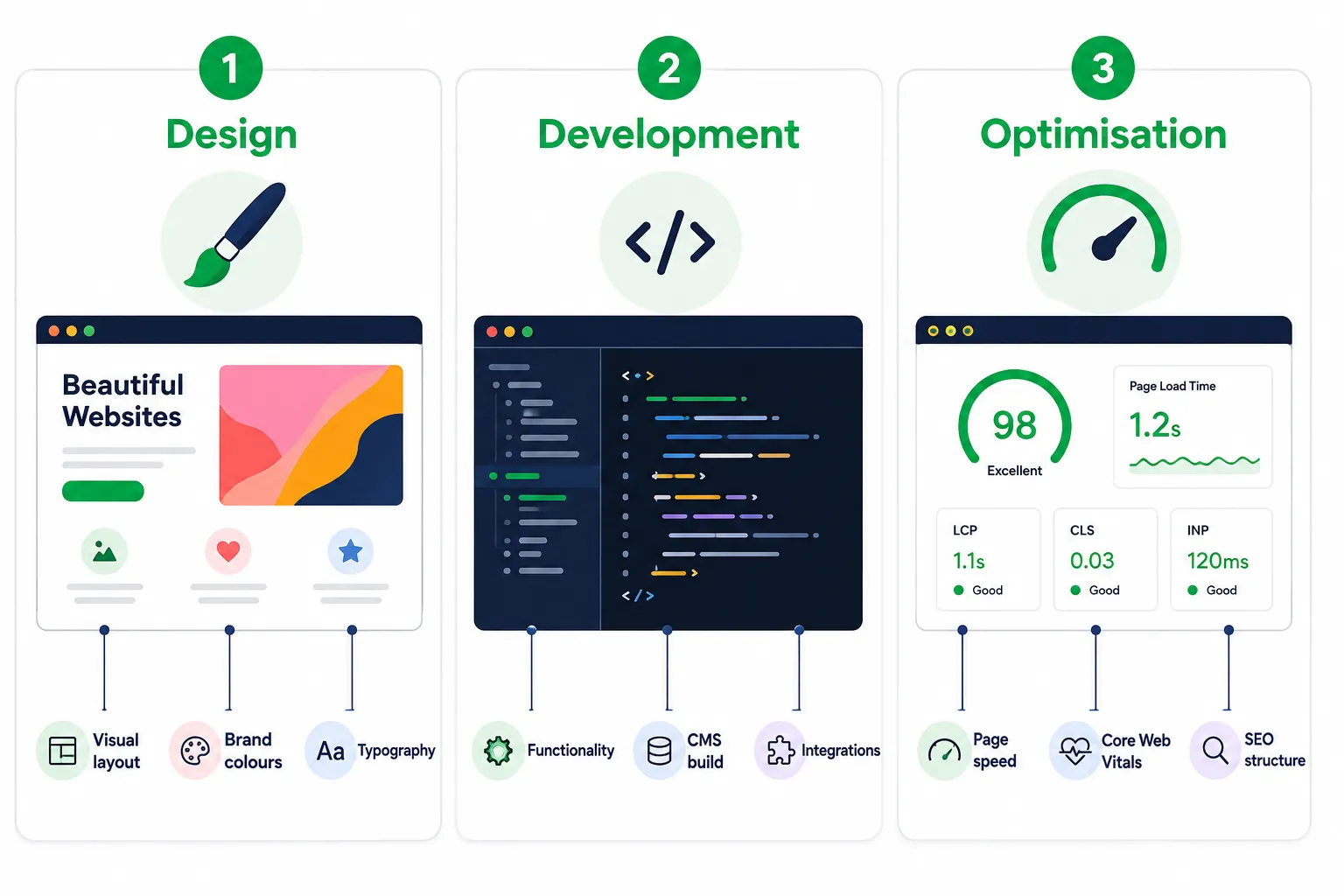
These three terms are often used interchangeably, but they describe genuinely different types of work. Hiring the wrong specialist for the wrong problem wastes both time and budget.
Website design covers the visual and structural layer: layout, colour palette, typography, imagery, user experience, and the overall look and feel. A website designer decides how information is arranged so visitors understand it quickly and feel confident in the business.
Website development covers the technical build: configuring or writing the code, setting up the content management system, integrating third-party tools, and making sure everything functions correctly across browsers and devices.
Website optimisation covers ongoing improvement: page speed, Core Web Vitals, search engine optimisation, conversion rate improvements, and accessibility. This is the work that happens after launch to make a site perform better over time.
Many small business projects require all three. A brand-new site needs design and development. An existing site that looks fine but ranks poorly or converts badly needs optimisation. An outdated site with technical problems may need a partial or full rebuild.
The diagnostic question: is your site failing because of how it looks, because of how it works, or because of how it performs? The answer tells you which specialist to hire first.
The 7 Jobs Every Small Business Website Must Do
A genuinely effective small business website is not defined by how many pages it has or how flashy the design is. It is defined by whether it reliably does these seven jobs.
Build Trust Quickly
Visitors decide within seconds whether to stay or leave. Professional design, real business details, genuine customer reviews, and photos of actual people all contribute to the trust that keeps someone on the page. Testimonials, case studies, and credentials are not decorations. They are conversion tools.
Explain the Offer Clearly
The homepage headline should answer three questions immediately: what you do, who you do it for, and why someone should choose you. If a visitor has to read three paragraphs before understanding the offer, most will leave. Clear, plain-language copy is part of the design, not an afterthought.
Work Perfectly on Mobile
A site that looks great on desktop but breaks on a phone is losing a major part of its audience. Mobile-responsive design is not a bonus feature. It is a baseline requirement for any website built or rebuilt now.
Load Fast Enough That Visitors Stay
Page speed directly affects both search visibility and whether visitors stay long enough to convert. A site that takes too long to load on mobile will lose people before they see the first line of content. For practical steps, read how to fix a slow small business website.
Guide Visitors Toward Enquiries or Sales
Every page needs a clear next step. That might be a phone number in the header, a prominent consultation button, or a simple contact form. Visitors rarely take action unless the path is obvious.
Support Search Visibility
A site that nobody can find is not doing its job. Basic on-page SEO, correct heading structure, descriptive page titles, local business structure, and internal links should be part of the build from the start.
Stay Secure, Maintained and Easy to Update
An unmaintained website is a liability. Outdated plugins, expired SSL certificates, and unpatched CMS versions create security risks. A site the owner cannot update without calling a developer every time also becomes a bottleneck.
Common Website Problems and the Right Specialist to Fix Each
Diagnosing the specific problem before hiring anyone saves significant time and money. Here is a practical map of common issues and the type of specialist best placed to fix each one.
Outdated or Unprofessional Design
Symptom: The site looks dated, the branding is inconsistent, or visitors comment that it does not look credible.
Specialist needed: Website designer or UX specialist.
What they will do: Redesign the visual layer, layout, typography, colour palette, and imagery without necessarily rebuilding the entire technical infrastructure. If the current CMS is sound, a redesign can often be applied as a new theme or template.
For businesses that also need to address inconsistent branding across their wider marketing, the brand identity for small business guide is a useful companion before a website redesign begins.
Poor Mobile Layout or Broken Pages
Symptom: The site looks fine on desktop but elements overlap, text is too small, or buttons are hard to tap on a phone.
Specialist needed: Web developer or WordPress specialist.
What they will do: Audit the responsive CSS, fix breakpoints, and test across multiple device sizes. This is a technical fix, not simply a design refresh.
Visitors but No Enquiries
Symptom: Analytics show reasonable traffic, but the phone is not ringing and the contact form is empty.
Specialist needed: UX or conversion specialist.
What they will do: Analyse the user journey, identify where visitors drop off, improve calls to action, simplify forms, and add or reposition trust signals.
Slow Loading and Poor Core Web Vitals
Symptom: The site takes too long to load, performs badly on mobile, or fails speed checks.
Specialist needed: Performance optimisation specialist.
What they will do: Audit image sizes, server response times, caching, render-blocking scripts, and third-party integrations. Many sites can be improved without a rebuild. For WordPress-specific context, see the WordPress speed fix and sales recovery guide.
Need for Booking, Ecommerce or Custom Functionality
Symptom: The business needs online booking, a product catalogue, a membership area, or an integration with an existing CRM or inventory system.
Specialist needed: Web developer or ecommerce specialist.
What they will do: Build or integrate the required functionality, whether that is a WooCommerce store, Shopify setup, booking plugin, or custom API integration.
Ongoing Maintenance, Security and Updates
Symptom: The site has not been updated in months, plugins are flagged as outdated, or nobody is sure whether backups are running.
Specialist needed: Maintenance specialist or WordPress specialist on retainer.
What they will do: Run regular updates, monitor uptime, back up the site, and handle security patches.
DIY Website Builder, Template Website or Custom Build?
The right starting point depends on the business stage, budget, and how much the website needs to do.
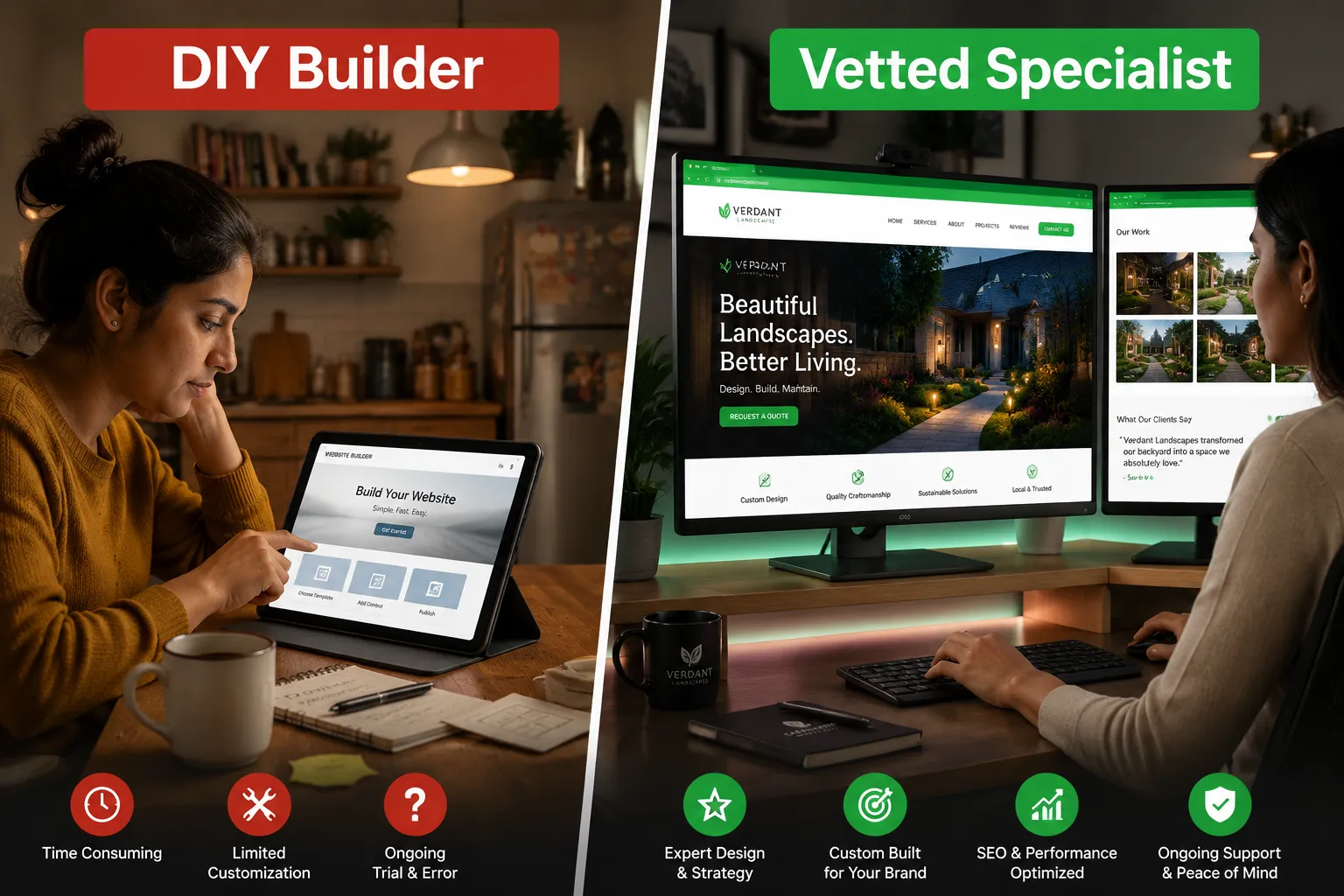
DIY website builders are appropriate for very early-stage businesses that need a basic online presence quickly and have minimal budget. They are fast to set up, require little technical knowledge, and have predictable monthly costs. The trade-off is limited flexibility, restricted SEO control, and the risk of outgrowing the platform once the business scales.
Template websites built on a proper CMS offer a middle ground. A specialist installs a suitable theme, customises it to the brand, and configures the necessary plugins. The result is a professional site at a lower cost than a fully custom build, with more flexibility than a DIY builder.
Custom builds make sense when the business has specific functionality requirements templates cannot meet, when the brand demands a genuinely distinctive visual identity, or when the site needs to integrate with complex back-end systems. Custom builds cost more and take longer, but they are built precisely for the business.
Choose a DIY builder if: you are pre-revenue, testing a concept, or need something live within days on a minimal budget.
Choose a template build if: you are an established small business that needs a professional site without unusual functionality.
Choose a custom build if: your business has unique technical requirements, significant traffic, or a brand that genuinely cannot be expressed through an existing template.
WordPress, Shopify, Webflow or Custom Code: Which Platform Makes Sense?
Platform choice affects cost, flexibility, maintenance burden, and which specialists you can hire.
WordPress has the largest ecosystem of themes, plugins, and specialist support. It suits service businesses, content-heavy sites, and businesses that want full control over SEO. The trade-off is that it requires updates, security patches, and occasional plugin management.
Shopify is purpose-built for ecommerce. If selling products online is the primary function of the site, Shopify’s payment infrastructure, inventory management, and app ecosystem make it a practical choice for many small retailers. It is hosted, so maintenance is simpler, but customisation has limits.
Webflow sits between a visual builder and a CMS. It produces clean, fast front-end code and is popular with design-forward businesses. The specialist pool is smaller than WordPress, which can affect cost and availability.
Custom code is rarely necessary for a small business unless the site has genuinely complex application-like functionality. For most businesses, a well-configured WordPress or Shopify site will outperform a poorly maintained custom build.
The practical rule: choose the platform that the widest pool of specialists in your budget range can support. Being locked into an obscure platform that only one developer understands is a business risk.
When to Optimise an Existing Website vs Rebuild From Scratch
This is the most commercially significant decision in website design and development for small business owners.
Optimise the existing site if:
- The platform is sound and reasonably current
- The core structure and content are broadly correct
- The problems are specific: slow speed, poor mobile layout, weak calls to action, or thin SEO
- The business cannot justify the downtime or cost of a full rebuild
Rebuild from scratch if:
- The platform is obsolete or unsupported
- The site structure is fundamentally wrong for the business’s current offer
- The design is so dated that it actively damages trust
- Technical debt makes maintenance more expensive than starting fresh
- The business has changed significantly since the site was built
A partial rebuild, redesigning the front end while keeping the existing CMS and content, is often the most cost-effective middle path. A good web developer can assess which approach is warranted after a technical audit.
What Small Business Website Work Usually Costs
Cost varies significantly based on scope, platform, and the experience level of the specialist. Treat these as budgeting ranges, not fixed prices.
| Project Type | Indicative Range | Typical Timeline |
|---|---|---|
| Template website, 5-10 pages | $2,500-$8,000 AUD | 4-8 weeks |
| Custom design plus WordPress build | $8,000-$25,000 AUD | 8-16 weeks |
| Basic ecommerce store | $3,000-$10,000 AUD | 4-10 weeks |
| Performance optimisation audit and fixes | $800-$3,000 AUD | 1-3 weeks |
| Monthly maintenance retainer | $150-$600 AUD/month | Ongoing |
| Complex custom build | $25,000+ AUD | 16+ weeks |
What drives cost up: custom design from scratch, complex integrations, ecommerce with large product catalogues, multilingual requirements, and tight deadlines.
What keeps cost down: using a well-supported theme as a starting point, providing complete content before the build begins, and having a clear brief from day one.
What to Prepare Before Hiring a Website Specialist
The single biggest cause of blown budgets and delayed launches is a client who arrives at the first meeting without a clear picture of what they need. Preparing properly before any conversation with a specialist saves time, reduces scope creep, and results in more accurate quotes.
Before any initial conversation, gather:
- Your business goals for the website. Is it to generate phone enquiries, sell products, build an email list, or book appointments?
- Your target audience. Who visits the site, what are they looking for, and what objections do they have?
- Your current platform and hosting details. Know what CMS you are on, who hosts the site, and whether you have admin access.
- Three to five websites you admire. They do not have to be in your industry. They only need to show the standard and style you want.
- Your existing brand assets. Logo files, brand colours, fonts, and any style guide.
- Your content. Who is writing the copy? Who is providing photos? Content delays are one of the most common reasons website projects run late.
- Your budget range. Give a realistic range and let the specialist explain what is achievable within it.
Small Business Website Project Brief Checklist
Use this checklist as a starting point when briefing a website designer or web developer.
Business context
- Business name and trading name
- Primary products or services
- Geographic service area or target market
- Key differentiators from competitors
Website goals
- Primary conversion action: enquiry, purchase, booking, or phone call
- Secondary goals: newsletter sign-up, social follow, resource download, or quote request
- Required pages: services, portfolio, team, blog, FAQ, contact
Technical requirements
- Preferred CMS or platform, if known
- Required integrations: booking, CRM, payment gateway, email marketing
- Current domain and hosting situation
- Analytics and tracking requirements
Design direction
- Logo, colours, fonts, and existing brand assets
- Three to five reference websites
- Design styles to avoid
- Accessibility requirements
Content
- Who is responsible for writing copy
- Whether professional photography is needed
- Whether video content is planned. The small business video strategy guide explains how video fits into a broader website and marketing plan.
- Timeline for content delivery
Timeline and budget
- Hard launch deadline, if any
- Budget range
- Ongoing maintenance expectations
How to Judge Whether a Website Specialist Is a Good Fit
Not every website designer or web developer is right for every project. Use this framework before committing.
Review their portfolio critically. Do the sites they have built look professional on mobile? Do they load quickly? Are there clear calls to action? A portfolio is evidence, not decoration.
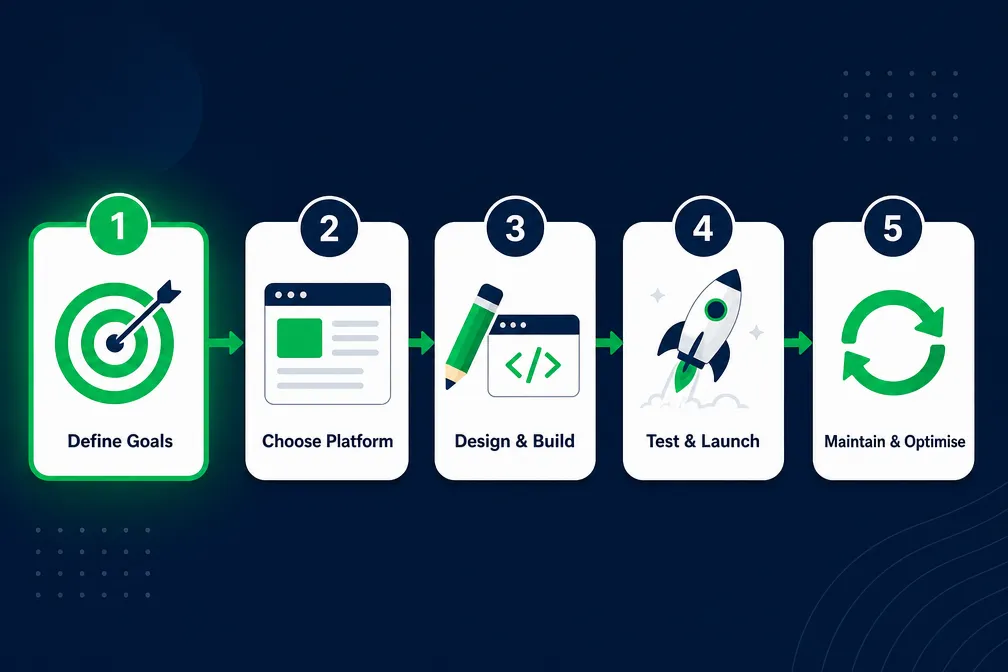
Ask about their process. A good specialist should be able to explain discovery, wireframes, design approval, build, testing, launch, and handover in plain language.
Clarify who does what. Some designers do not do development, and some developers do not do design. Ask directly who will do the work and where the handoffs happen.
Check communication style. The specialist should be able to explain technical decisions in business terms. If they cannot explain why something matters, they may not understand your context well enough.
Ask about post-launch support. What happens when something breaks after launch? Is there a maintenance retainer? What is the response time?
Request references. A specialist who has worked with small businesses similar to yours should be able to provide relevant examples or references.
How Website Design Connects to Speed, SEO and Enquiries
Website design and development for small business does not exist in isolation from performance, search visibility, and conversion. These elements are tightly connected.
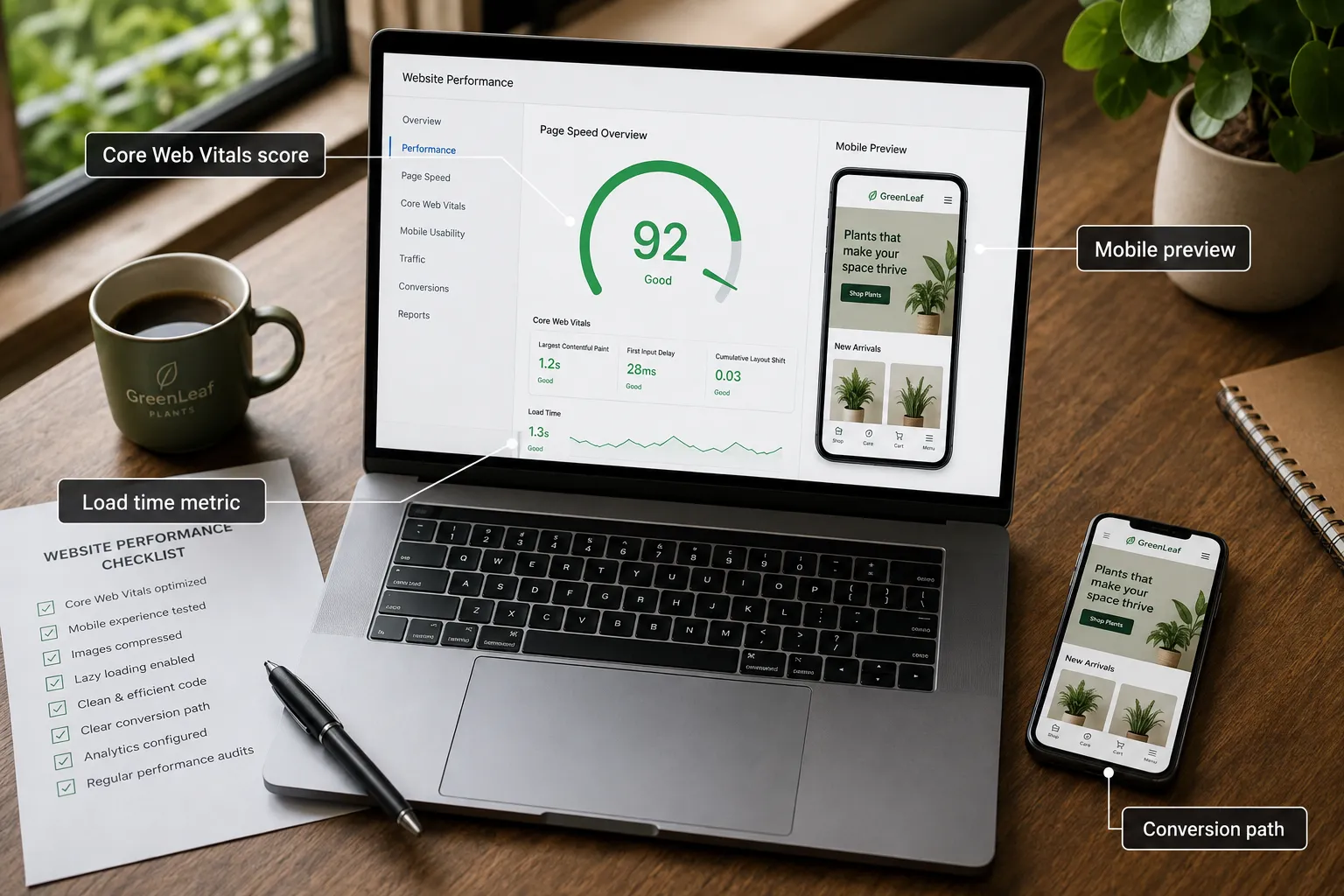
Design decisions that affect speed: large images, complex animations, and excessive third-party scripts all slow a page down. A performance-aware designer builds with speed constraints from the start.
Design decisions that affect SEO: heading structure, internal links, URL structure, and descriptive image alt text are influenced by how the site is designed and built. A site built without SEO awareness usually needs remedial work later.
Design decisions that affect conversion: button placement, form length, trust signals, and value proposition clarity all affect whether a visitor becomes a customer.
The practical implication is simple: when briefing a website designer or web developer, make speed, SEO, and conversion explicit requirements. For broader measurement context, the small business marketing ROI guide explains how to think about return on website investment.
Website Specialist Decision Table
Use this static table instead of relying on a fragile interactive widget.
| Your Main Problem | Best First Move | Specialist to Look For |
|---|---|---|
| No website yet | Create a clear brief and choose platform | Website designer plus WordPress or ecommerce specialist |
| Site looks outdated | Redesign the visual layer | Website designer or UX specialist |
| Site is slow | Run a performance audit before redesigning | Performance optimisation specialist |
| Traffic but no enquiries | Audit trust, CTAs, forms, and user journey | UX/conversion specialist |
| Need online selling | Define products, payments, shipping, and platform | Ecommerce specialist |
| Site keeps breaking | Set up maintenance, backups, and updates | Maintenance or WordPress specialist |
FAQ
How long does it take to build a small business website?
A template-based website typically takes four to eight weeks from brief to launch. A custom design and build can take eight to sixteen weeks. The most common cause of delays is late content delivery, so having copy, photos, and brand assets ready before the project starts makes a big difference.
Do I need SEO when building my small business website?
Yes. It is far more efficient to build SEO in from the start than to retrofit it later. At minimum, the build should include correct heading structure, descriptive page titles and meta descriptions, image alt text, a sitemap, and local business structure if the business serves a specific area.
What should a small business website include?
At minimum: a homepage with a clear value proposition, services or products pages, an about page with real people and credentials, a contact page with multiple contact methods, and a mobile-responsive layout. Local businesses should also include their address, service area, and opening hours consistently.
Should I hire a web designer or build my website myself?
Build it yourself only if you are very early-stage, have a tight budget, and need something live quickly. For an established business, the cost of a poorly converting DIY site can exceed the cost of hiring a specialist.
What is the difference between website design and web development for small business?
Design covers the visual and structural layer: how the site looks and how information is arranged. Development covers the technical build: how the site works, what CMS it runs on, and how it integrates with other tools.
How much does website maintenance cost for a small business?
Monthly maintenance retainers often range from about $150 to $600 AUD per month depending on scope. This usually covers CMS and plugin updates, security monitoring, uptime checks, backups, and a small allowance for minor changes.
What makes a small business website convert visitors to customers?
The highest-impact factors are a clear headline, visible trust signals, a prominent and friction-free call to action, relevant proof, and fast load times. Conversion is a design, development, and copy problem together.
How do I know if my website needs a redesign or just optimisation?
If the platform is current, the structure is sound, and the problems are specific, optimise first. If the platform is obsolete, the design damages trust, or the business has changed significantly since the site was built, a rebuild may be the better long-term choice.
Final Takeaway: Build the Website Around the Business Outcome
The most common mistake in website design and development for small business is starting with aesthetics and hoping the business results follow. The stronger approach is the reverse: start with the outcome the website needs to produce, then work backwards to the design, development, and optimisation decisions that support that outcome.
A small business website that looks professional, loads fast, works on mobile, and guides visitors toward a clear action is not a luxury. It is the minimum viable standard for competing online.
Practical next steps:
- Audit your current site against the seven jobs listed in this guide.
- Use the project brief checklist to document your goals, audience, platform, content, and budget.
- If the main problem is low enquiries from existing traffic, read why your small business website is not generating leads.
- If the main problem is slow speed or poor Core Web Vitals, start with how to fix a slow small business website.
- Compare specialists by process, portfolio, communication, and references, not price alone.
The website that wins is the one built around what the business actually needs to achieve, not the one with the most features or the flashiest design.
References
[1] Google Search Central. Core Web Vitals and page experience documentation. https://developers.google.com/search/docs/appearance/core-web-vitals
[2] Google Search Central. Mobile-first indexing best practices. https://developers.google.com/search/docs/crawling-indexing/mobile/mobile-sites-mobile-first-indexing
[3] Google PageSpeed Insights. https://pagespeed.web.dev/
[4] Forbes Advisor. Small business website design overview. https://www.forbes.com/advisor/business/software/small-business-website-design/