
Brands with consistent visual presentation across all platforms generate up to 23% more revenue than those without it, yet most small businesses still treat design as an afterthought, scrambling for graphics only when a deadline forces the issue. If that pattern sounds familiar, the solution is not to hire a full-time designer. It is to outsource graphic design through a structured, repeatable system that delivers professional output on demand, at a fraction of the cost of a salaried employee.
This guide builds that system from the ground up.
Quick Answer
Small business owners can outsource graphic design reliably by building a core brand system first, writing precise design briefs, standardizing file delivery requirements, and managing a vetted freelance designer through a repeatable monthly workflow. The result is consistent, professional marketing materials without the overhead of a full-time hire.
Key Takeaways
- Design is a revenue-linked business asset, not a cosmetic expense, consistency directly affects buyer trust and conversion rates.
- Building a brand system (logo, colors, fonts, guidelines) before outsourcing prevents costly revisions and brand drift.
- A well-written design brief is the single biggest factor in getting the right result on the first attempt.
- Understanding file types (SVG, EPS, AI, PNG, JPEG, PDF) protects against being locked out of your own brand assets.
- A repeatable monthly workflow, not one-off project hiring, is what turns outsourced design into a genuine competitive advantage.
Table of Contents
- Why Design Becomes a Growth Bottleneck
- What an On-Demand Design Department Actually Means
- Build the Core Brand System First
- The Design Assets Every Small Business Should Standardize
- How to Outsource Graphic Design Without Losing Quality
- How to Write a Design Brief That Gets the Right Result First Time
- File Types Founders Need to Understand
- Budgeting and Timelines for Ongoing Design Work
- Quality Control Checklist Before Using Any Design Asset
- How to Build a Repeatable Monthly Design Workflow
- When to Hire Different Design Specialists
- Common Mistakes That Make Outsourced Design Expensive
- How This Connects to Brand Credibility and Startup Budget Branding
- FAQ
- References
Why Design Becomes a Growth Bottleneck
Most small business owners do not realize design has become a bottleneck until marketing slows down. The symptoms are predictable: social posts go out late because no one has the right image size, a sales deck looks different from the website, a new product launch stalls because the promotional banner is still in a designer’s inbox.
Design bottlenecks cost more than time. They cost marketing velocity, the speed at which a business can move from idea to published, customer-facing content. When that speed drops, campaigns get delayed, opportunities pass, and competitors who ship faster capture attention first.
Research consistently links visual consistency to consumer trust. When a brand looks the same across every touchpoint, website, packaging, social, print, customers perceive it as more professional and more reliable [4]. That perception directly influences purchase decisions. Inconsistent visuals, by contrast, create subconscious doubt about whether the business is legitimate or stable [5].
The bottleneck usually has one of three root causes:
- No defined brand system. Every design request starts from scratch because there are no agreed colors, fonts, or logo rules.
- No reliable design partner. Work goes to whoever is available, producing inconsistent results.
- No workflow. Requests are informal, briefs are vague, and revisions multiply.
Fixing all three is exactly what this guide covers.
What an On-Demand Design Department Actually Means
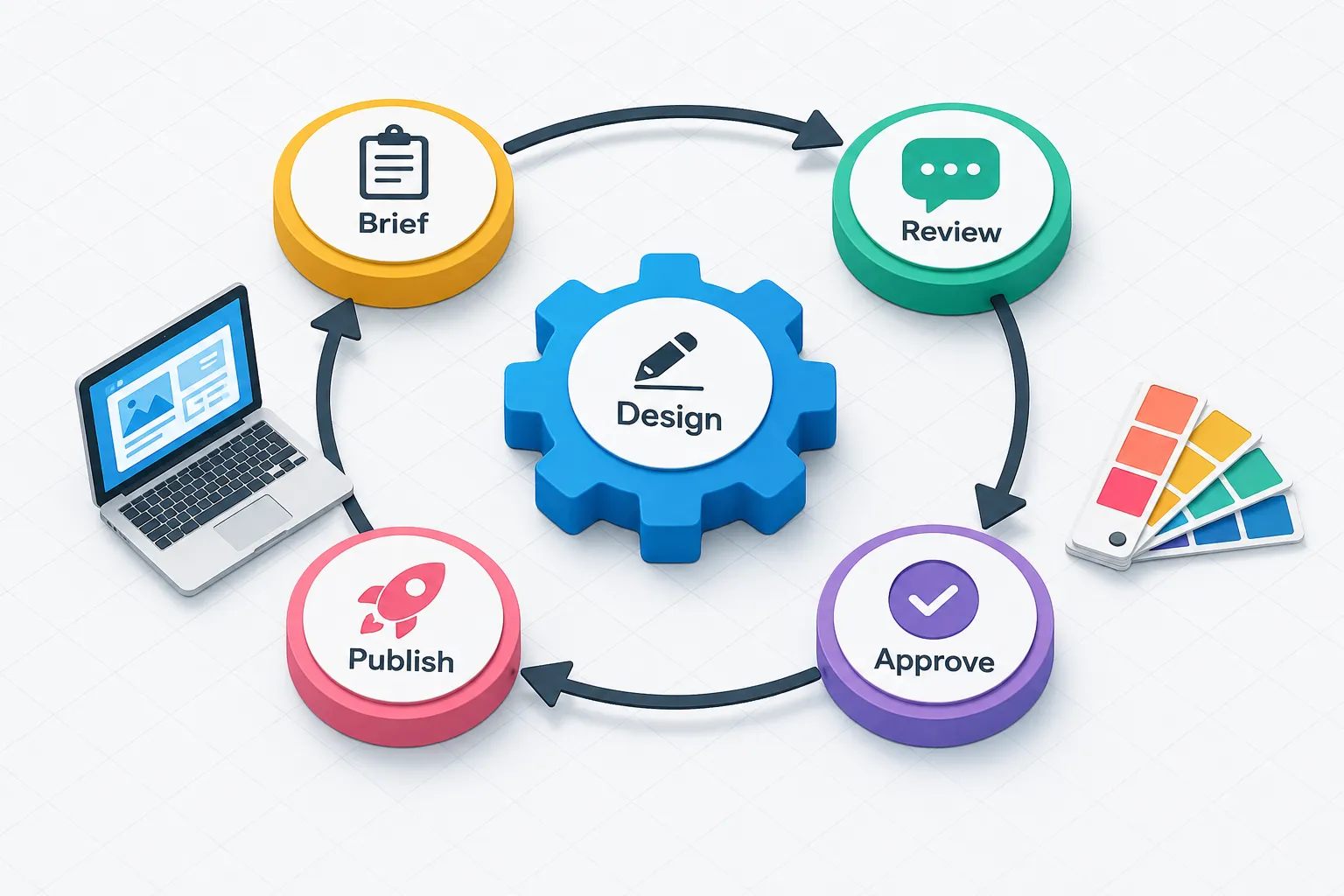
An on-demand design department is not a single freelancer on call. It is a system, a set of documented standards, a vetted design partner or small roster of specialists, a brief template, a file management protocol, and a monthly production rhythm.
When that system is in place, a founder can submit a design request on Monday and receive a production-ready asset by Wednesday, without explaining the brand from scratch, without chasing revisions, and without paying a full-time salary.
This model has become mainstream for small and medium businesses in 2026. Design as a Service (DaaS) providers, subscription-based design teams, and curated specialist networks have all matured to the point where a business with a $2,000 monthly marketing budget can access the same quality of visual output as a company with an in-house creative team.
The key distinction between businesses that make this work and those that do not is documentation. Businesses that document their brand standards, their brief format, and their approval process get consistent output. Those that operate informally get inconsistency, rework, and frustration [1].
What the system includes:
| Component | Purpose |
|---|---|
| Brand guidelines document | Defines logo use, colors, fonts, tone |
| Design brief template | Communicates each project clearly |
| Asset library | Stores approved files in correct formats |
| Vetted design partner | Executes work to brand standard |
| Monthly production calendar | Prevents last-minute scrambles |
| QC checklist | Catches errors before publication |
Build the Core Brand System First
Before a business can reliably outsource graphic design, it needs a brand system. Trying to outsource without one is like asking a contractor to build a room without architectural drawings, the result will be technically functional but probably not what anyone wanted.
Visual Audit: Where to Start
A visual audit takes stock of everything the business currently uses. Gather every visual asset: logo files, social media images, presentation templates, business cards, email headers, printed materials. Lay them side by side, digitally or physically, and answer these questions:
- Do all logo versions use the same colors and proportions?
- Are the same two or three fonts used consistently, or are there five or more different typefaces across materials?
- Do colors match across print and digital? (They will not unless hex codes and CMYK values have been specified.)
- Is the visual tone consistent, photography style, illustration style, icon style?
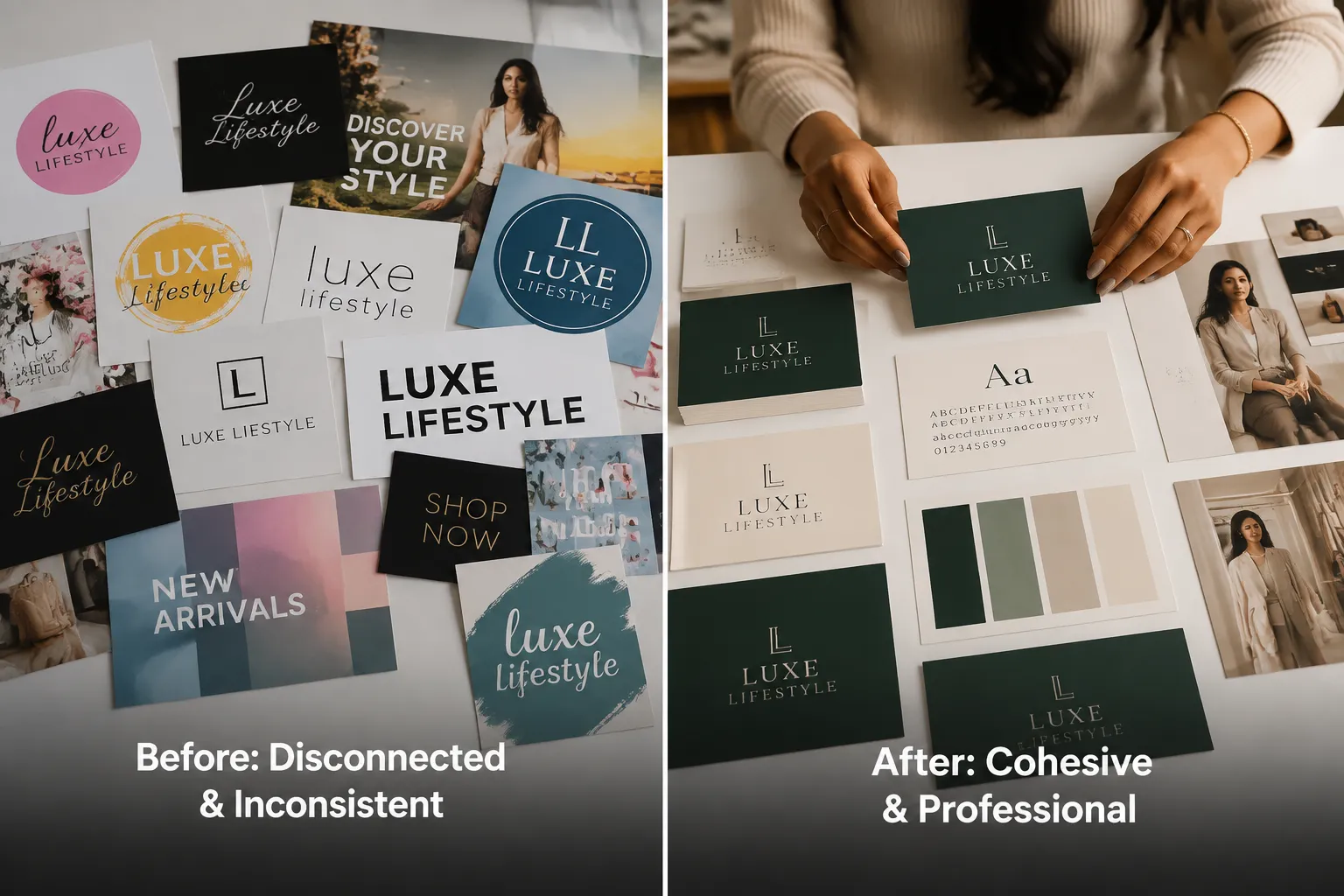
Most small businesses discover significant inconsistency at this stage. That is normal and fixable. The audit creates a baseline from which to build [2].
Mood Board Guidance
A mood board is a curated collection of visual references that defines the aesthetic direction of the brand. It is not a logo, it is the feeling the brand should evoke.
To build one, collect 8 to 15 images from any source: photography, typography examples, color palettes, packaging, websites, or illustrations that feel right for the brand. Organize them in a single document or digital board. Look for patterns: Are the images mostly bright and airy, or rich and dark? Minimal or detailed? Playful or serious?
The mood board becomes a reference tool for every designer who works on the brand. It communicates aesthetic intent far more efficiently than words alone.
Brand Guideline Basics
A brand guidelines document does not need to be a 60-page PDF. For a small business, a concise 4 to 8 page document covering the following is sufficient [3]:
- Logo: Primary version, secondary version, minimum size, clear space rules, prohibited uses
- Color palette: Primary and secondary colors with hex codes (digital), RGB values (screen), and CMYK values (print)
- Typography: Primary font (headings), secondary font (body), fallback web-safe font, size hierarchy
- Imagery style: Photography tone, illustration style if applicable, icon style
- Tone of voice: 3 to 5 adjectives that describe how the brand communicates
This document is the single most valuable asset a small business can give to any designer, at any time [7]. It eliminates the most common source of inconsistency in outsourced design work [5].
The Design Assets Every Small Business Should Standardize
Once the brand system exists, the next step is identifying which assets need to be created or updated to match it. These are the core design assets that every small business should have in standardized, production-ready formats.
Logo Suite
- Primary logo (full color, horizontal or stacked)
- Secondary logo (simplified version for small sizes)
- Icon or mark (standalone symbol for favicons, app icons, watermarks)
- Reversed version (white or light, for dark backgrounds)
Brand Identity for Small Business: Core Digital Assets
Building a strong brand identity for small business means covering every customer-facing digital touchpoint:
- Website header and favicon
- Social media profile images (sized for each platform)
- Social media post templates (square, portrait, landscape)
- Email header and signature template
- Presentation deck template (title slide, content slide, data slide)
- Digital advertising banner templates (standard IAB sizes)
Print and Offline Materials
- Business card (front and back)
- Letterhead and envelope
- Flyer or one-pager template
- Packaging or label template (if applicable)
- Signage or banner template
Affordable Marketing Materials: The Repeating Assets
These are the assets a business produces repeatedly. Standardizing them as templates dramatically reduces per-unit cost and production time:
- Promotional social post template
- Event announcement template
- Product or service spotlight template
- Testimonial or review graphic template
- Blog or article header image template
How to Outsource Graphic Design Without Losing Quality
The most common fear about outsourcing creative work is loss of control, that the output will not match the brand, that revisions will pile up, or that a new designer will undo the visual consistency that has been built. These fears are legitimate but preventable [5].
Choosing the Right Design Partner
When evaluating any freelance designer or design service, prioritize portfolio review over price. A designer’s portfolio tells more about their actual output than any proposal or profile description. Look specifically for:
- Work in a similar industry or aesthetic category
- Evidence of brand system thinking (not just individual pretty pieces)
- Consistent quality across different project types
- Clean, organized file delivery (ask to see a sample file package)
At TheGigResource.com, the focus is on connecting founders with vetted specialists who have been evaluated for both craft quality and professional reliability, not just whoever happens to be available on a generic platform.
Onboarding a New Design Partner
The first project with any new design partner should be low-stakes and well-documented. Use it to test the brief-to-delivery process, communication responsiveness, revision handling, and file delivery quality. Provide the brand guidelines document on day one [10].
A structured onboarding reduces the risk of brand drift, the gradual visual inconsistency that develops when designers work without clear standards [4].
Maintaining Quality Over Time
Quality maintenance is a process, not a one-time check. It requires:
- Consistent use of the brief template for every project
- A defined revision policy (typically one or two rounds included)
- A QC checklist applied before any asset goes live
- Periodic brand audits (quarterly) to catch drift early
- A shared asset library that the designer can access and update
How to Write a Design Brief That Gets the Right Result First Time
A design brief is the primary communication tool between a business owner and a designer. A weak brief produces weak results, not because the designer is unskilled, but because they are working with insufficient information.
The following template covers every element a designer needs to deliver the right result on the first attempt.
Design Brief Template
Project Name: [Descriptive title, e.g., “Q3 Instagram Promotion, Summer Sale”]
Deliverable: [Exact asset, e.g., “3 x Instagram square posts (1080x1080px)”]
Objective: [What this asset needs to accomplish, e.g., “Drive clicks to the summer sale landing page”]
Target Audience: [Who will see this, e.g., “Women 28-45, interested in sustainable homewares”]
Key Message: [The single most important thing the viewer should understand]
Required Text: [Exact copy to appear in the design, headline, subhead, CTA, URL, disclaimer]
Brand Reference: [Link to brand guidelines document]
Visual References: [2 to 4 example images showing the desired direction, from the mood board or similar]
Formats Required: [File types and dimensions, e.g., “PNG at 1080x1080px, JPEG at 1200x628px”]
Deadline: [Date and time, including time zone]
Revision Rounds: [Number of revision rounds included]
Notes: [Any specific requirements, restrictions, or context the designer needs]
A brief this complete typically reduces revisions from three or four rounds to one or zero. That reduction in rework is one of the most direct ways to lower the effective cost of outsourced design.

File Types Founders Need to Understand
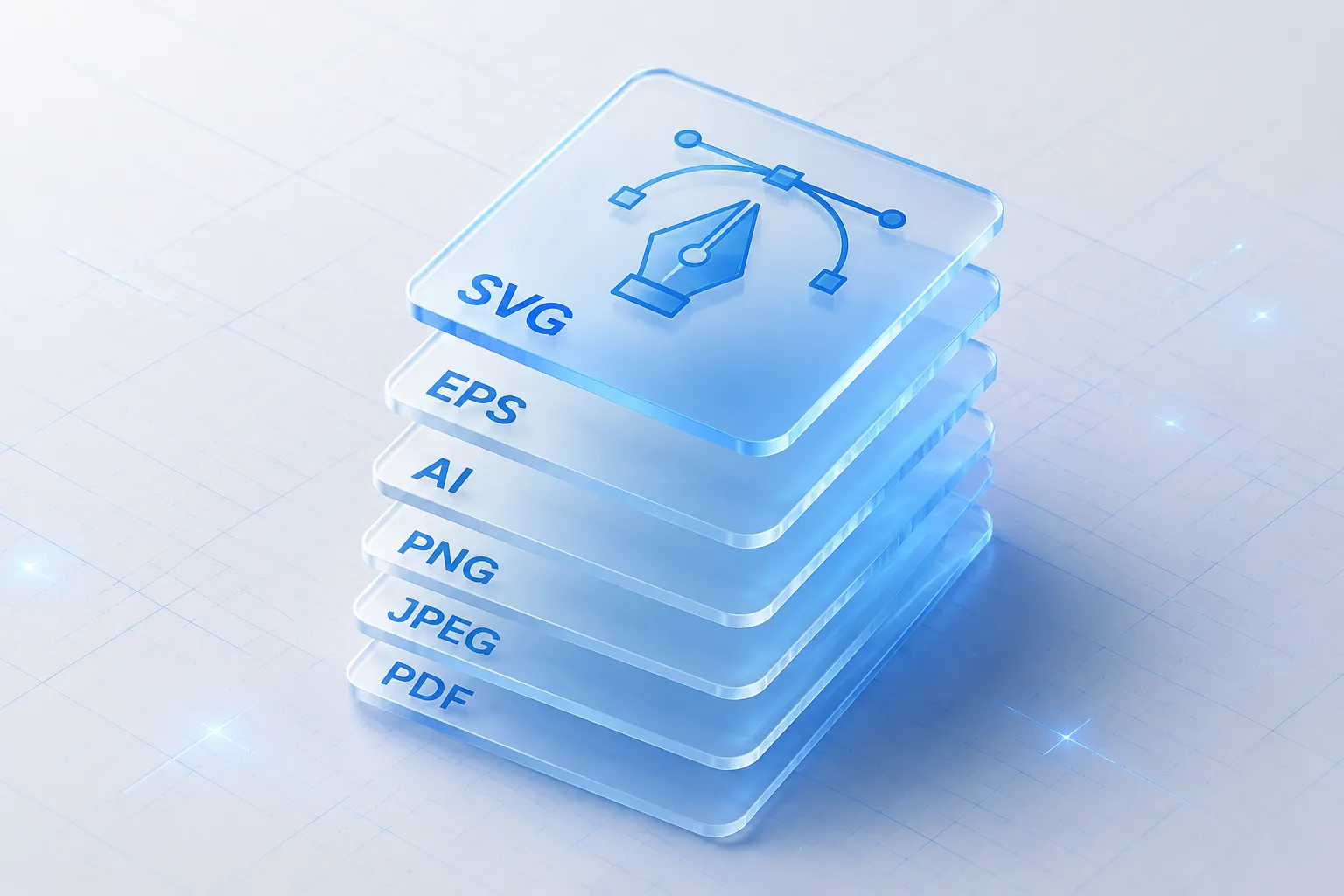
One of the most common ways small businesses lose control of their own brand assets is by accepting the wrong file types. Understanding what each format is for, and always requesting source files, is a non-negotiable part of any design relationship.
Vector Formats (Scalable, Editable)
SVG (Scalable Vector Graphics)
An open-standard vector format that scales to any size without quality loss. Ideal for logos on websites, icons, and any asset that needs to appear at multiple sizes. Can be edited in most design applications and is natively supported by web browsers.
EPS (Encapsulated PostScript)
An older vector format still widely used in professional print production. Most commercial printers and sign makers accept EPS. Always request EPS for any logo or illustration that will be used in print.
AI (Adobe Illustrator)
The native file format for Adobe Illustrator. This is the source file for any vector work created in Illustrator. Always request the AI file, it contains all editable layers, fonts, and elements. Without it, making future edits requires recreating the work from scratch.
Raster Formats (Pixel-Based, Fixed Resolution)
PNG (Portable Network Graphics)
A lossless raster format that supports transparent backgrounds. Use PNG for logos on websites, social media, and any digital context where the background color may vary. Never use PNG for print, the resolution is typically insufficient.
JPEG (Joint Photographic Experts Group)
A compressed raster format best suited for photographs and complex images. JPEG does not support transparency. Use for photography, blog headers, and email images where file size matters. Avoid for logos, compression artifacts degrade quality.
PDF (Portable Document Format)
A versatile format that can contain both vector and raster elements. Use PDF for print-ready files, presentations, and documents. A print-ready PDF from a designer should include bleed, crop marks, and embedded fonts.
Color Values: Why They Matter
Hex codes (#FF5733) define colors for digital screens. Every brand color should have a documented hex code.
RGB values (255, 87, 51) are the screen-based color model used in digital design software. Use for web and social.
CMYK values (0%, 66%, 80%, 0%) are the print color model. Digital colors and print colors do not automatically match, always specify CMYK values for any brand color that will appear in print.
Pantone (PMS) codes are standardized ink colors used in commercial printing. If the brand will appear on merchandise, packaging, or large-format print, specify Pantone codes to ensure color accuracy across vendors.
Font Rules
Always request font files or font license information alongside any design that uses custom typography. Without the font files:
- Another designer cannot edit the document
- The printer may substitute a different font
- The website developer cannot implement the correct typeface
Document the font name, weight (Regular, Bold, Italic), and the license type (free, commercial, subscription) for every font in the brand system.
Budgeting and Timelines for Ongoing Design Work
Realistic budget and timeline expectations prevent the two most common sources of friction in outsourced design relationships: surprise costs and missed deadlines.
Realistic Cost Ranges in 2026
The following ranges reflect typical market rates for freelance designers working with small business clients. They are not guarantees, rates vary by designer experience, project complexity, and geographic market.
Professional logo design (full suite with source files):
$500 to $2,500+ depending on designer experience and number of concepts
Brand guidelines document (basic to comprehensive):
$300 to $1,500
Social media template set (5 to 10 templates):
$200 to $800
Individual social post (one-off):
$50 to $200
Marketing one-pager or flyer:
$150 to $500
Presentation deck template (10 to 15 slides):
$400 to $1,200
Ongoing monthly retainer (10 to 20 hours of design work):
$800 to $3,000 per month
On-demand subscription design services:
$400 to $1,500 per month depending on output volume and turnaround speed
Typical Project Timelines
- Logo design: 1 to 3 weeks (including revision rounds)
- Brand guidelines: 3 to 7 business days after logo approval
- Template set: 5 to 10 business days
- Individual asset (brief to delivery): 24 to 72 hours with an established partner
- Rush turnaround: Often available at a 25% to 50% premium
The fastest turnarounds come from established relationships where the designer already knows the brand. This is another reason why building a long-term partnership with one or two vetted specialists is more efficient than hiring a new designer for every project.
Quality Control Checklist Before Using Any Design Asset
Every design asset should pass a QC review before it is published, printed, or sent to a client. This checklist applies to all formats.
Brand Compliance
- Logo matches the approved version (correct colors, proportions, clear space)
- Colors match documented hex, RGB, or CMYK values
- Fonts match the brand typography specification
- Tone and imagery style align with the mood board and brand guidelines
Content Accuracy
- All text is spelled correctly (run spell check and proofread manually)
- Phone numbers, URLs, and email addresses are correct and active
- Dates, prices, and offers are current and accurate
- Legal disclaimers or required disclosures are present if needed
Technical Specifications
- File dimensions match the required output (check pixels for digital, inches/mm for print)
- Resolution is sufficient (72 DPI minimum for digital; 300 DPI minimum for print)
- Bleed and crop marks are included for print files
- Fonts are embedded or outlined in print PDFs
- Background is transparent in PNG files where required
- File is named clearly (e.g., “BrandName_SummerSale_IG-Square_v1.png”)
Final Approval
- Reviewed by at least one person who did not create the asset
- Approved by the decision-maker before going live
- Final file saved to the shared asset library in the correct folder
How to Build a Repeatable Monthly Design Workflow
A repeatable workflow is what separates businesses that consistently publish professional materials from those that scramble every time a deadline approaches. The goal is to make design production as predictable as any other business operation.
Week-by-Week Monthly Structure
Week 1: Planning
- Review the marketing calendar for the coming month
- Identify all design assets needed (social posts, ads, emails, print)
- Prioritize by deadline and business impact
- Submit briefs for the highest-priority assets
Week 2: Production
- Designer delivers first drafts
- Review against QC checklist
- Submit consolidated feedback (one round, not piecemeal)
- Approve or request revisions
Week 3: Completion and Asset Banking
- Receive final files
- Save to asset library in correct folders
- Schedule or publish digital assets
- Send print-ready files to vendor if applicable
Week 4: Review and Planning
- Audit what performed well (engagement, clicks, conversions)
- Note any brand consistency issues observed
- Begin planning for next month
- Update the brief queue for the next cycle
Asset Library Structure
Organize the shared asset library with a consistent folder structure:
Brand Assets/
  Logos/
    Primary/
    Secondary/
    Icon/
    Reversed/
  Templates/
    Social/
    Email/
    Print/
    Presentations/
  Campaign Assets/
    [Year]/
      [Month]/
  Brand Guidelines/
  Fonts/
A well-organized library means any team member, or a new designer, can find the right file in under two minutes. That is not a small efficiency gain when multiplied across hundreds of design requests per year.
When to Hire Different Design Specialists
Not all design work requires the same skill set. One of the advantages of building a network of vetted specialists rather than relying on a single generalist is the ability to match the right expertise to each project type.
Logo and Brand Identity
Hire a brand identity specialist, someone whose portfolio shows strong logo systems, typography work, and brand guidelines documents. This is not the same skill set as a social media designer or a web designer.
Marketing and Social Media Graphics
A production-focused designer with strong template skills and fast turnaround is the right fit for ongoing social and marketing materials. Look for someone comfortable working within an existing brand system rather than creating from scratch.
Web and UI Design
Web design requires understanding of user experience, responsive layouts, and how designs translate to code. This is a distinct specialty from print or brand design. Do not ask a print designer to design a website, or vice versa.
Illustration and Custom Art
Custom illustration, icons, infographics, character art, requires a specialist illustrator. This work is typically project-based rather than ongoing.
Print and Production Design
Large-format printing, packaging, and commercial print work require knowledge of print production standards (bleed, color profiles, file preparation). A specialist in this area prevents costly print errors.
Common Mistakes That Make Outsourced Design Expensive
Understanding what drives up the cost and friction of outsourced design helps avoid the most common pitfalls.
Vague briefs. The single biggest driver of revision rounds and wasted time. A brief that says “make it pop” or “something modern” gives a designer almost nothing to work with. Use the template in this guide.
Changing direction mid-project. Asking for fundamental changes after a design direction has been approved typically triggers additional charges. Lock in the direction before production begins.
Not providing source files upfront. Starting a project without logo source files or brand guidelines forces the designer to recreate elements, time that the client pays for.
Hiring on price alone. The cheapest option is rarely the most cost-effective. A designer who charges $30 for a logo and delivers an unusable file costs more in the long run than one who charges $500 and delivers a complete, professional suite.
Using a different designer for every project. Onboarding a new designer for every task means re-explaining the brand every time. Building a relationship with one or two reliable specialists dramatically reduces overhead and improves consistency [10].
Accepting wrong file formats. Accepting only a JPEG logo with no source files means paying to recreate the logo every time it needs to be modified. Always request source files.
Skipping the QC checklist. Publishing an asset with a typo, wrong phone number, or off-brand color is more damaging than a delayed launch. The checklist is not optional.
How This Connects to Brand Credibility and Startup Budget Branding
For early-stage businesses and startups operating on constrained budgets, design decisions carry disproportionate weight. A professional logo design and cohesive brand identity signal to potential customers, investors, and partners that the business is serious, even if the team is small and the office is a home desk [6].
Research on consumer perception consistently shows that visual professionalism influences trust before a single word is read. A website or social profile that looks polished and consistent creates an immediate positive signal. One that looks mismatched or amateurish creates doubt that is difficult to overcome with copy alone [2].
This is why brand identity for small business is not a luxury investment, it is a trust infrastructure investment. The return is not always direct or immediate, but it compounds over time as the brand becomes recognizable and associated with quality [9].
For businesses working with limited budgets, the priority order is:
- Professional logo design with source files (non-negotiable)
- Documented color palette and font choices (low cost, high impact)
- A small set of standardized templates for the most-used assets
- A brand guidelines document (can be simple at first, expanded over time)
- Ongoing production of affordable marketing materials using those templates
This sequence ensures that every dollar spent on design builds on a solid foundation rather than being wasted on one-off assets that do not reinforce each other.
“Consistent presentation of a brand has been shown to increase revenue by up to 23%.”, Lucidpress / Marq Brand Consistency Report (cited widely in brand strategy literature)
The compounding effect of visual consistency, across social media, email, print, and web, is that each new customer touchpoint reinforces the same impression. That repetition builds the kind of brand recognition that reduces the cost of customer acquisition over time, because familiar brands require less persuasion [4].
FAQ
How much does it cost to outsource graphic design for a small business in 2026?
Costs vary widely based on project type and designer experience. A professional logo suite typically ranges from $500 to $2,500. Ongoing monthly design support through a retainer or subscription service ranges from $400 to $3,000 per month. Individual assets like social media posts range from $50 to $200 each. The most cost-effective approach is a monthly retainer with a vetted specialist who already knows the brand.
What is the difference between a freelance designer and a design subscription service?
A freelance designer is an individual professional hired on a project or retainer basis. A design subscription service provides a team or pool of designers for a flat monthly fee, typically with a defined output volume and turnaround time. Both can work well for small businesses, the right choice depends on volume, consistency needs, and budget. Either way, having a documented brand system in place is essential for quality results.
What files should always be requested when outsourcing logo or brand design?
Always request: the AI or EPS source file (editable vector), SVG (for web use), PNG with transparent background (for digital use), and a print-ready PDF. Also request the font files or font license details, and a color specification sheet with hex, RGB, CMYK, and Pantone values. Without source files, the business does not truly own its own brand assets.
How do small businesses maintain brand consistency when working with multiple designers?
The answer is documentation. A brand guidelines document that specifies logo usage, color values, typography rules, and imagery style gives every designer, regardless of when they join the project, the same reference point. Pair the guidelines with a standard brief template and a QC checklist, and consistency becomes a system rather than a hope [3][5].
How long does it take to build a complete brand system from scratch?
A practical brand system, logo suite, color palette, fonts, basic guidelines, and a core template set, typically takes four to eight weeks when working with an experienced brand identity specialist. The timeline depends on the number of revision rounds, the complexity of the brand, and how quickly the business owner can provide feedback and approvals.
When should a small business consider moving from project-based hiring to a monthly design retainer?
When a business is producing more than four to six design assets per month, a retainer typically becomes more cost-effective than project-based pricing. The additional benefit of a retainer is that the designer becomes deeply familiar with the brand, which reduces briefing time and revision rounds over time.
Conclusion
Building a reliable on-demand design workflow is not about finding the cheapest designer or subscribing to the most tools. It is about creating a system, brand guidelines, a brief template, a vetted design partner, a monthly production rhythm, and a QC process, that makes professional visual output repeatable and predictable.
The businesses that benefit most from outsourced design are not those with the largest budgets. They are the ones that treat design as a documented business process rather than an ad hoc creative request.
Actionable next steps:
- Conduct a visual audit of all current brand assets this week.
- Document or create a color palette, font specification, and logo usage rules, even a simple one-page version is better than none.
- Build a mood board of 10 to 15 images that represent the brand’s desired aesthetic.
- Write the first version of the design brief template using the structure in this guide.
- Identify the two or three design asset types produced most frequently and prioritize creating standardized templates for them.
- Visit TheGigResource.com to find vetted graphic design specialists matched to the specific project type needed, brand identity, marketing materials, or ongoing production support.
The system built today will reduce per-asset cost, increase marketing velocity, and build the kind of visual consistency that compounds into brand recognition over time. That is not a creative outcome, it is a business outcome.
References
[1] This Is The Design Operations Framework I Developed After 15 Years Of Design Operations – https://medium.com/@beka.andi/this-is-the-design-operations-framework-i-developed-after-15-years-of-design-operations-a6cdd178989f
[2] Brand Identity Small Business Guide – https://www.webnixon.com/blog/brand-identity-small-business-guide/
[3] Brand Guidelines Guide – https://www.digitalpolo.com/brand-guidelines-guide/
[4] Maintaining Brand Consistency Outsourced Customer Support – https://www.linkedin.com/pulse/maintaining-brand-consistency-outsourced-customer-support-8nqic
[5] Consistent Branding When Outsourcing Creative Work – https://clutch.co/resources/consistent-branding-when-outsourcing-creative-work
[6] Brand Identity Guide – https://www.godaddy.com/resources/brand-identity-guide
[7] Setting Brand Guidelines – https://www.fedex.com/en-us/small-business/articles-insights/setting-brand-guidelines.html
[9] How To Create Brand Guidelines For Your Small Business – https://www.fsb.org.uk/resources-page/how-to-create-brand-guidelines-for-your-small-business.html
[10] Outsource Without Losing Customer Trust And Brand Identity – https://nitroimpact.com/blogs/2025/4/22/outsource-without-losing-customer-trust-and-brand-identity