
Bus
Want the complete map? This guide is part of our Small Business AI Automation master guide, which walks you end to end from baseline to finished automation.
inesses that deploy purpose-built AI assistants report productivity gains of up to 40% on routine knowledge tasks, yet most organizations still rely on generic, out-of-the-box chatbots that know nothing about their products, processes, or customers. The gap between a generic AI tool and a custom ChatGPT for business is not a matter of budget; it is a matter of strategy and execution.
This guide walks through every stage of building, deploying, and scaling a custom AI assistant tailored to your organization, from understanding the underlying platforms to measuring real-world ROI.
Key Takeaways
- A custom ChatGPT for business can be configured without coding using OpenAI’s GPT Builder or, for enterprise teams, the newer Workspace Agents platform.
- Workspace Agents are now officially positioned as the successor to custom GPTs for organizations, offering deeper integrations with tools like Slack and Salesforce.
- The most impactful use cases include customer support, internal knowledge management, sales enablement, and automated document workflows.
- Data privacy and access controls are critical configuration steps, not afterthoughts.
- Measuring success through clear KPIs ensures continuous improvement and justifies ongoing investment.
What Is a Custom ChatGPT for Business and Why Does It Matter
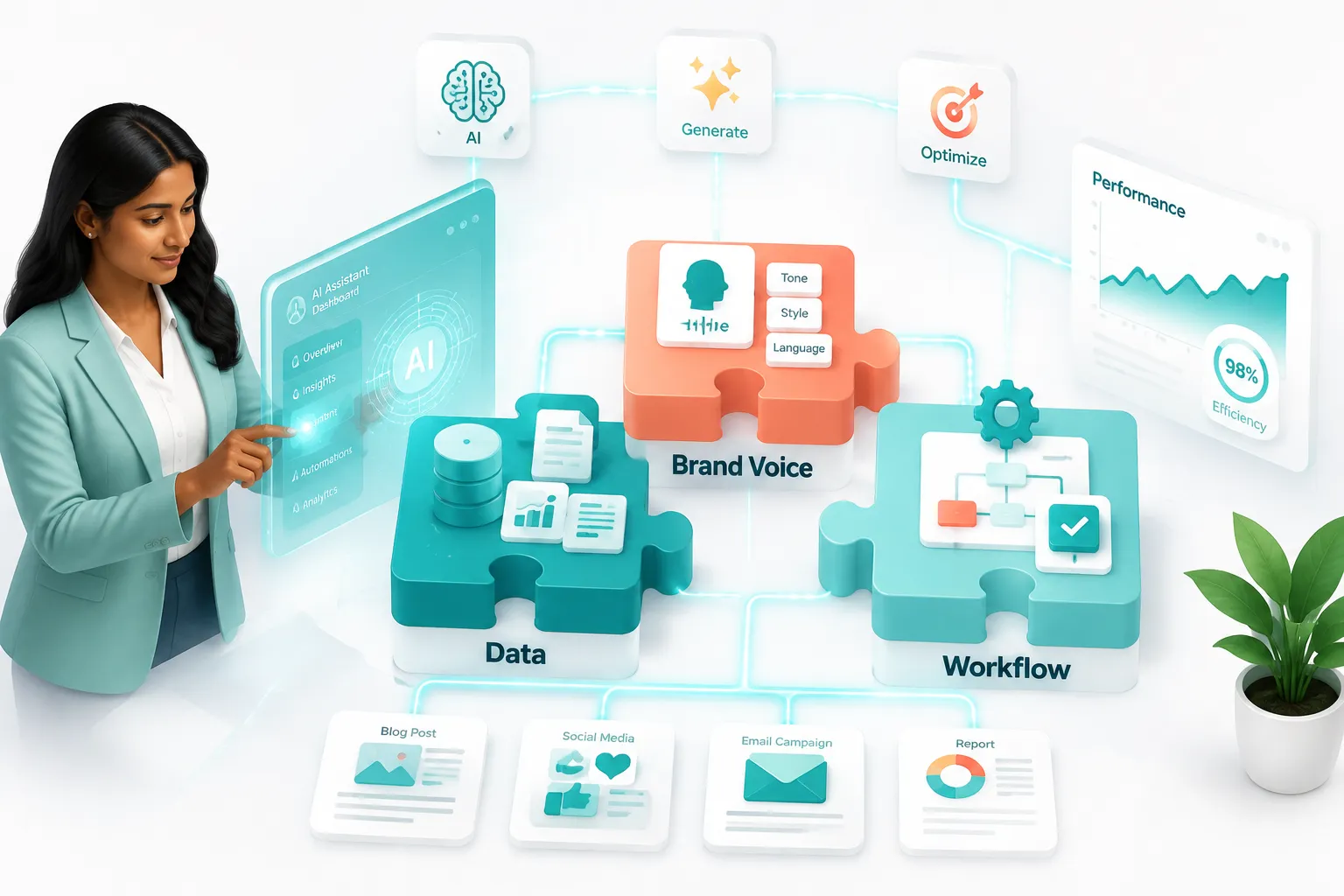
A custom ChatGPT for business is an AI assistant built on top of OpenAI’s large language model infrastructure but configured specifically for a company’s brand voice, data, and workflows. Unlike the standard ChatGPT interface, a custom version can be given a name, a defined persona, proprietary knowledge files, and connections to external tools and APIs.
The Platform Landscape in 2026
OpenAI offers several tiers for business customization:
ChatGPT Team and Plus plans allow users to create custom GPTs through the GPT Builder, a no-code interface where you write instructions, upload documents, and define the assistant’s behavior [2].
ChatGPT Enterprise and Edu provide organization-wide deployment, admin controls, and higher usage limits. Release notes for these tiers show a consistent expansion of features including memory controls, expanded context windows, and enhanced API access [1].
Workspace Agents represent the most significant evolution. OpenAI has officially positioned Workspace Agents as the successor to custom GPTs for organizations. These agents go beyond static instructions, they can take multi-step actions, connect to live business systems like Slack and Salesforce, and operate autonomously within defined guardrails [5][7][8].
“Workspace Agents shift the paradigm from AI that answers questions to AI that completes tasks across your entire business stack.” [7]
Custom GPTs vs. Workspace Agents: A Quick Comparison
| Feature | Custom GPTs | Workspace Agents |
|---|---|---|
| No-code setup | Yes | Partial |
| File knowledge upload | Yes | Yes |
| Live system integrations | Limited | Slack, Salesforce, Codex, and more |
| Multi-step autonomous actions | No | Yes |
| Enterprise admin controls | Via Enterprise plan | Built-in |
| Best for | SMBs, single use cases | Mid-market to enterprise |
Sources: [5][8][9]
How to Build a Custom ChatGPT for Business Step by Step
Building a custom AI assistant is more accessible than most business leaders expect. The process follows a logical sequence regardless of whether you are using the GPT Builder for a small team or configuring a Workspace Agent for an enterprise deployment.
Step 1: Define the Use Case and Scope
Before touching any platform, answer three questions:
- What specific problem will this assistant solve? (e.g., answering tier-1 support tickets, onboarding new employees, generating sales proposals)
- Who are the primary users? (customers, internal staff, or both)
- What data does it need access to? (product manuals, CRM records, policy documents)
Narrowly scoped assistants consistently outperform broad, catch-all bots. A custom GPT trained specifically on a company’s return policy and product catalog will resolve customer queries faster and more accurately than a generic assistant [9].
Step 2: Choose the Right Platform Tier
Match your platform choice to your organization’s size and technical capacity:
- Solo operators or small teams: ChatGPT Plus with GPT Builder
- Teams of 2-149 users: ChatGPT Team plan
- 150+ users with compliance needs: ChatGPT Enterprise [1][3]
- Organizations needing autonomous, multi-system workflows: Workspace Agents [7][8]
Step 3: Write the System Instructions
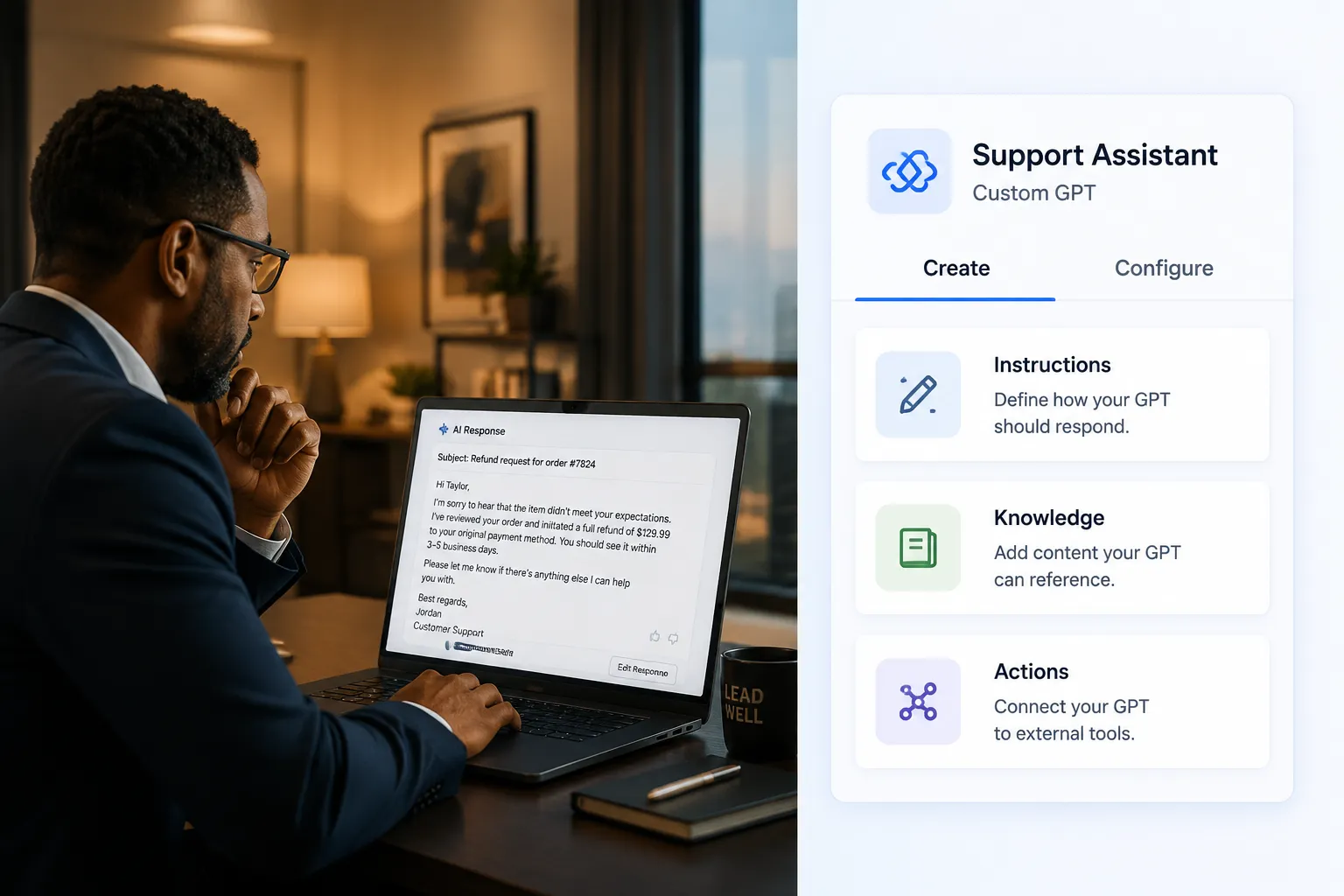
System instructions are the backbone of any custom ChatGPT for business. They define:
- Persona: Name, tone, and communication style
- Scope: What the assistant will and will not discuss
- Response format: Bullet points, numbered lists, formal prose
- Escalation rules: When to hand off to a human agent
Best practice: Write instructions as if briefing a new employee. Be explicit. Vague instructions produce vague outputs.
Example instruction snippet:
“You are Aria, the customer support assistant for [Company Name]. You answer questions about orders, returns, and product specifications. You do not discuss competitor products. Always respond in a friendly, professional tone. If a customer asks for a refund over $500, escalate to a human agent.”
Step 4: Upload Knowledge Files
Custom GPTs and Workspace Agents both support knowledge file uploads. These files allow the assistant to reference proprietary information that was not part of OpenAI’s training data.
Effective knowledge files include:
- Product documentation and FAQs
- Employee handbooks and HR policies
- Sales playbooks and objection-handling guides
- Technical specifications and compliance documents
File format tips: PDF and plain text files index most reliably. Keep individual files under 20MB. Break large documents into logical sections with clear headings for better retrieval accuracy [9].
Step 5: Configure Actions and Integrations
This is where Workspace Agents surpass traditional custom GPTs. Actions allow the assistant to connect to external systems via APIs, pulling live inventory data, creating CRM records, sending Slack messages, or triggering Salesforce workflows [8].
For organizations not yet ready for full agent deployment, even basic integrations (such as connecting a custom GPT to a web search tool or a company knowledge base) dramatically improve usefulness [2].
Step 6: Test Rigorously Before Deployment
Testing a custom AI assistant requires structured scenarios:
- Happy path testing: Does it answer correctly when given ideal inputs?
- Edge case testing: How does it handle ambiguous or off-topic questions?
- Adversarial testing: Can users manipulate it into violating its instructions?
- Accuracy audits: Cross-check responses against source documents
Involve actual end users in testing. Their natural language patterns will surface gaps that internal teams miss.
Step 7: Deploy, Monitor, and Iterate
Deployment is not the finish line. Set up monitoring from day one:
- Track conversation logs for common failure points
- Measure resolution rates and escalation frequency
- Collect user satisfaction scores
- Schedule monthly instruction reviews to update knowledge files as products and policies change
High-Impact Use Cases for Custom ChatGPT for Business
The most successful deployments focus on use cases where the volume of repetitive queries is high and the cost of human handling is significant [9][10].

Customer Support Automation
A custom GPT trained on support documentation can resolve 60-80% of tier-1 inquiries without human intervention. This reduces average handle time and frees support agents for complex, high-value interactions.
Key configuration elements:
- Full product FAQ uploaded as knowledge files
- Clear escalation triggers for billing disputes or safety issues
- Tone calibrated to match brand voice
Internal Knowledge Management
Large organizations lose enormous productivity to employees searching for information across disconnected systems. An internal custom ChatGPT for business, trained on HR policies, IT procedures, and operational guides, acts as an always-available knowledge base.
Workspace Agents extend this further by connecting to live systems, so an employee can ask “What is the current PTO balance for Q3?” and receive an accurate, real-time answer pulled from the HR system [7].
Sales Enablement
Sales teams use custom AI assistants to:
- Generate personalized proposal drafts
- Retrieve competitive battle cards instantly
- Summarize CRM activity before customer calls
- Draft follow-up emails in the company’s approved tone
Document Generation and Summarization
Legal, finance, and compliance teams benefit from assistants that can draft contracts from templates, summarize lengthy reports, and flag policy deviations, reducing hours of manual work to minutes.
Data Privacy, Security, and Governance
No discussion of custom ChatGPT for business is complete without addressing data governance. OpenAI’s Enterprise and Workspace tiers include several protections by default [1][3]:
- Data is not used to train OpenAI models by default on Enterprise plans
- Admin controls allow IT teams to restrict which GPTs or agents employees can access
- Role-based permissions limit sensitive knowledge files to authorized users
- Conversation logs can be retained or deleted per organizational policy
Practical governance steps:
- Classify data before uploading, never upload personally identifiable information (PII) or regulated data without legal review
- Establish a clear AI acceptable use policy for employees
- Audit access permissions quarterly
- Document all knowledge file sources for compliance traceability
Measuring ROI from Your Custom AI Assistant
Justify the investment with measurable outcomes tied to business objectives.
Recommended KPIs by use case:
- Customer support: Ticket deflection rate, average handle time, CSAT score
- Internal knowledge: Time-to-answer for employee queries, helpdesk ticket volume reduction
- Sales: Proposal turnaround time, win rate on AI-assisted deals
- Document workflows: Hours saved per document type, error rate reduction
Most organizations see positive ROI within 90 days of a well-scoped deployment when they measure consistently from launch [9].
Frequently Asked Questions
Do you need coding skills to build a custom ChatGPT for business?
No. The GPT Builder interface is fully no-code. You write instructions in plain language, upload files, and configure basic settings through a guided interface. Workspace Agents may require API configuration for advanced integrations, which typically involves a developer or IT resource [2][5].
How is a custom GPT different from a Workspace Agent?
Custom GPTs are primarily configured assistants, they answer questions based on instructions and uploaded knowledge. Workspace Agents are action-oriented; they can execute multi-step tasks across connected business systems like Slack, Salesforce, and code environments. OpenAI now positions Workspace Agents as the enterprise successor to custom GPTs [7][8].
Can a custom ChatGPT for business access real-time data?
Standard custom GPTs rely on uploaded knowledge files, which are static. Workspace Agents and custom GPTs with configured Actions can connect to live APIs to retrieve real-time data from CRM systems, databases, or web sources [8].
What data privacy protections exist for business deployments?
ChatGPT Enterprise and Workspace Agent deployments include protections such as no model training on customer data, admin-controlled access permissions, and enterprise-grade encryption. Organizations should review OpenAI’s data processing agreements and align configurations with their internal compliance requirements [1][3].
How long does it take to deploy a custom GPT for a business?
A basic custom GPT can be configured and deployed in a single afternoon. A production-ready enterprise deployment with knowledge files, tested instructions, and integrated actions typically takes two to four weeks when accounting for testing, stakeholder review, and governance approvals [9].
Is the GPT Store relevant for businesses?
The GPT Store hosts publicly available custom GPTs that businesses can use as starting points or deploy directly for common use cases. However, for proprietary workflows and sensitive data, building a private custom GPT or Workspace Agent is strongly recommended over using public store options [2][10].
Conclusion
The window for competitive advantage from AI adoption is narrowing. Organizations that deploy a thoughtfully configured custom ChatGPT for business, whether through the GPT Builder for smaller teams or Workspace Agents for enterprise workflows, are compressing the time their people spend on repetitive, low-value tasks and redirecting that capacity toward growth.
Actionable next steps:
- Identify one high-volume, repetitive workflow in your organization that relies heavily on information retrieval or document generation.
- Audit the data that would need to power that assistant, ensure it is clean, organized, and appropriate for AI access.
- Select the right platform tier based on team size, compliance requirements, and integration needs.
- Build a minimum viable assistant with clear instructions and a focused knowledge base, then test it with real users before expanding scope.
- Establish KPIs before launch so ROI measurement begins from day one.
- Plan for Workspace Agents, even if your organization starts with a basic custom GPT, understanding the agent roadmap ensures your AI strategy scales with OpenAI’s platform evolution.
The technology is mature, the platforms are accessible, and the business case is clear. The only remaining variable is execution.
References
[1] 10128477 Chatgpt Enterprise Edu Release Notes – https://help.openai.com/en/articles/10128477-chatgpt-enterprise-edu-release-notes
[2] Gpt Store Custom Gpts Business Guide 2026 – https://www.digitalapplied.com/blog/gpt-store-custom-gpts-business-guide-2026
[3] 8555535 Gptschatgpt Enterprise – https://help.openai.com/ja-jp/articles/8555535-gptschatgpt-enterprise%E7%89%88
[5] Openai Workspace Agents Chatgpt Business Replace Custom Gpts – https://www.sayfeai.com/blog/openai-workspace-agents-chatgpt-business-replace-custom-gpts
[7] Openai Workspace Agents Chatgpt Enterprise 2026 – https://enterprisedna.co/resources/news/openai-workspace-agents-chatgpt-enterprise-2026/
[8] Openai Workspace Agents Codex Slack Salesforce Custom Gpts Successor April 2026 – https://www.idlen.io/news/openai-workspace-agents-codex-slack-salesforce-custom-gpts-successor-april-2026/
[9] Custom Gpt For Business 2026 – https://www.handonweb.com/blog/custom-gpt-for-business-2026
[10] 15 Best Custom Gpts In The Gpt Store – https://www.wildnetedge.com/blogs/15-best-custom-gpts-in-the-gpt-store